
For most commercial properties in Manhattan, Brooklyn, Queens, and Staten Island, the right architecture is a hybrid design: PoE IP cameras feeding an on-premises NVR for full-quality local recording, with selective cloud clip uploads and vendor-managed remote access over a dedicated camera VLAN. This approach balances evidence ownership, bandwidth cost, and multi-site visibility without locking you into a pure cloud subscription.
Why this works for most sites:
- Local NVR recording keeps footage available even when your uplink goes down, which matters in buildings with inconsistent ISP service.
- Cloud clips for motion events give you off-site redundancy and mobile alerts without pushing every byte upstream.
- VLAN segmentation keeps cameras isolated from your business network, reducing the risk that a compromised camera becomes a doorway into your POS or accounting systems.
Your immediate next steps:
- Schedule a site survey to map entrances, blind spots, lighting conditions, and prohibited-privacy areas.
- Request an uplink and bandwidth test to confirm your ISP connection can support remote viewing alongside recorded retention.
- Get a PoE budget estimate from a licensed installer before purchasing switches or cameras.
One compliance note before anything else: audio recording is governed by state wiretap laws and carries criminal liability in all-party consent states. Disable microphones by default. Silent video surveillance is broadly permitted across all 50 states; audio is not. YDA Security Systems NYC installs systems as a licensed and insured contractor and provides a documented handover that includes your retention policy and audio configuration.
Table of Contents
- What does remote monitoring actually mean for a business camera system?
- Core components and camera types every decision-maker must understand
- How do you choose the right remote-monitoring system for your property?
- What should you verify before and during installation?
- How should you run and maintain the system over time?
- How do you secure remote access and protect camera data?
- What are the most common remote-monitoring problems and how do you fix them?
- YDA Security Systems NYC: real-world installation examples
- Key Takeaways
- YDA Security Systems NYC handles the technical work so you don’t have to
- Useful sources and further reading
- FAQ
What does remote monitoring actually mean for a business camera system?
Remote monitoring means your IP cameras stream H.264/H.265 video to a recording device or cloud platform, and you access live feeds, recorded clips, and motion alerts from a phone, tablet, or browser anywhere with an internet connection. The three deployment models each carry real trade-offs.
On-premises NVR records locally at full quality, requires no monthly subscription, and keeps footage under your direct control. The downside: if the building loses power or internet, remote access drops until service restores, and multi-site management means logging into each site separately.
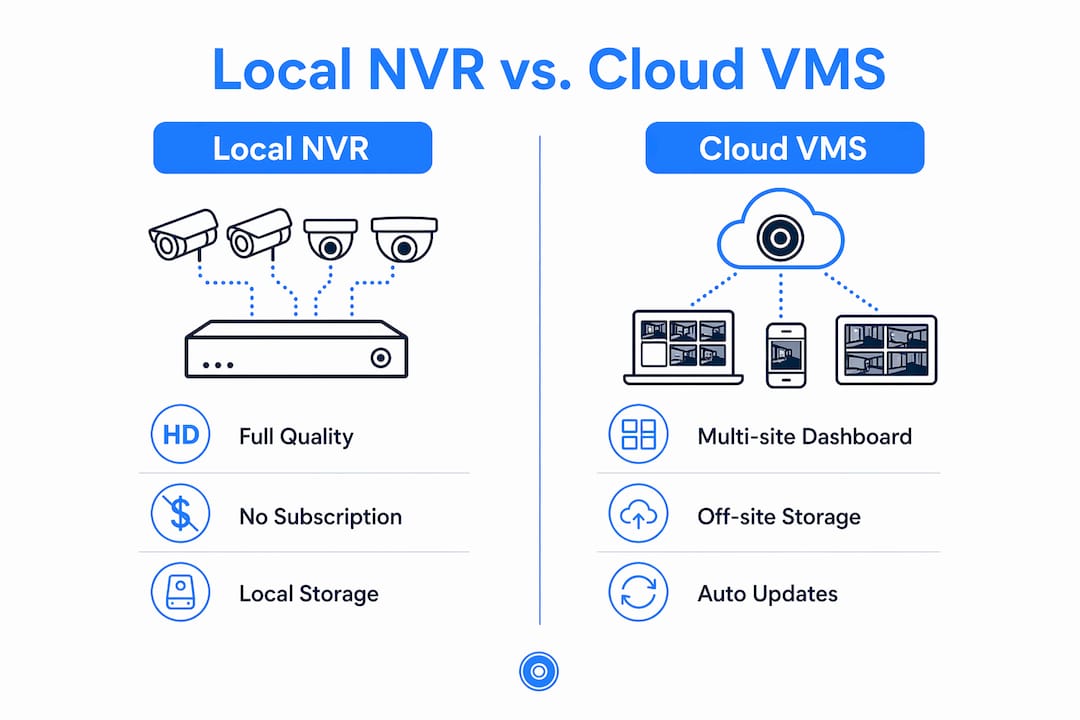
Cloud VMS / VSaaS centralizes multi-site dashboards, handles automatic firmware updates, and stores footage off-site. Cloud-managed video simplifies multi-site access and off-site storage, but introduces ongoing per-camera subscription costs and makes your footage availability dependent on uplink reliability.
Hybrid keeps full-resolution footage on a local NVR while pushing event clips or health telemetry to the cloud. A hybrid architecture reduces single points of failure for businesses with limited uplink, and it is the model YDA Security Systems NYC recommends for most multi-site commercial clients.
For remote access itself, three methods are common. P2P vendor relay services let cameras and apps find each other without a static IP, which simplifies remote access for non-technical users and avoids the $5–$30/month cost of a static IP from most ISPs. Cloud relay is best for centralized, multi-site dashboards. VPN gives the tightest control when internal IT owns the infrastructure and needs strict access governance.
Key insight: Treat your camera network as a critical IT application, not a standalone appliance. Insufficient uplink bandwidth and poor cabling are the most common causes of flaky remote access and mistaken hardware failures — problems that get misdiagnosed as camera defects.
Hybrid design fits best when you have multiple sites, an unreliable uplink, or compliance rules that require local evidence ownership.
Core components and camera types every decision-maker must understand
Camera types and where they belong
Fixed dome cameras suit indoor ceilings and covered overhangs where a low-profile, tamper-resistant form factor matters. Bullet cameras work well on building exteriors and parking areas where a long-range lens and visible deterrence are both useful. Turret cameras offer a flexible ball-and-socket mount that makes repositioning easy without tools. Motorized varifocal cameras let you zoom to frame a choke point precisely without climbing a ladder after installation. PTZ cameras cover wide areas with operator-controlled pan, tilt, and zoom, and are worth the cost at loading docks or large parking structures. Panoramic/360 cameras eliminate blind spots in open floor plans, lobbies, and warehouses. Thermal cameras detect heat signatures in complete darkness and are used at perimeter fences or server rooms where visible-light cameras fall short.
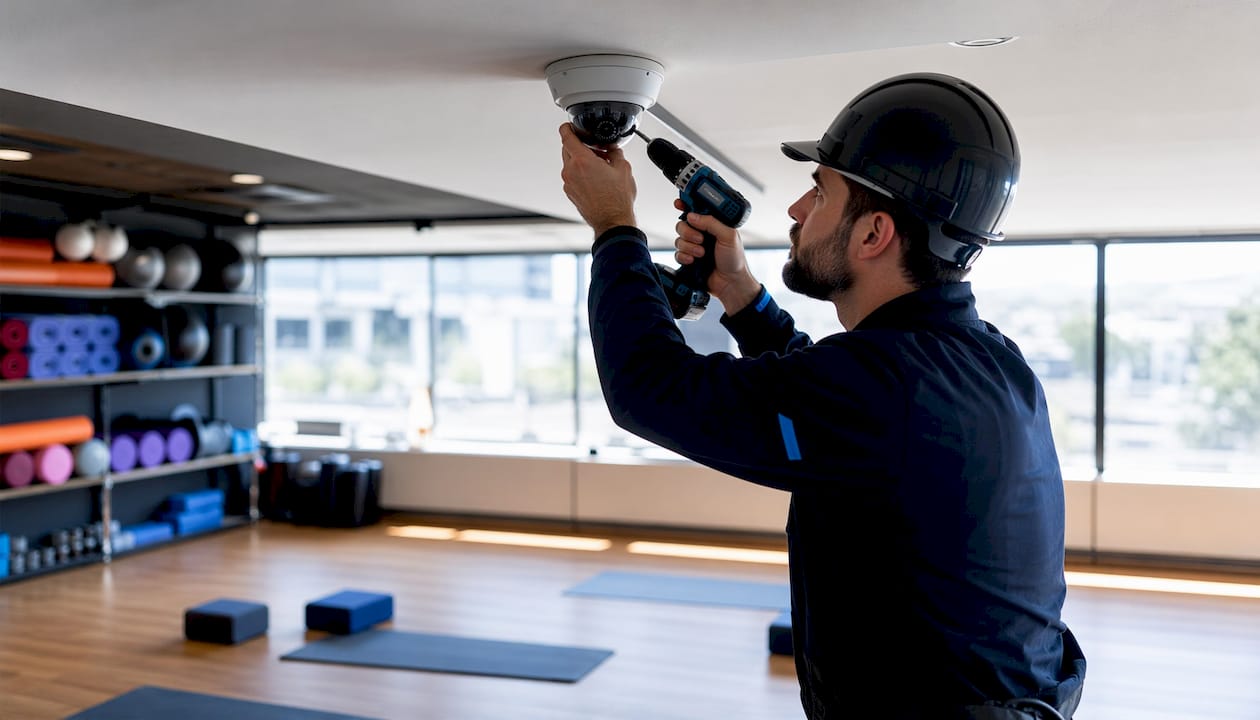
For low-light performance, Color Night Vision preserves color detail (clothing, vehicle color) after dusk, which is far more useful for identification than monochrome IR. Use IR for longer-range detection where color is less critical.
Specs checklist for camera selection
When evaluating cameras, verify: resolution (4K for entrances and registers, 2K/1080p for general coverage), sensor size, H.265 codec support, Wide Dynamic Range (WDR) for backlit scenes, low-light sensitivity rating, lens type and field of view, IP66 or IP67 ingress rating for outdoor use, IK10 vandal rating for exposed locations, and ONVIF Profile S or T compliance for interoperability with third-party NVRs.
Other core components
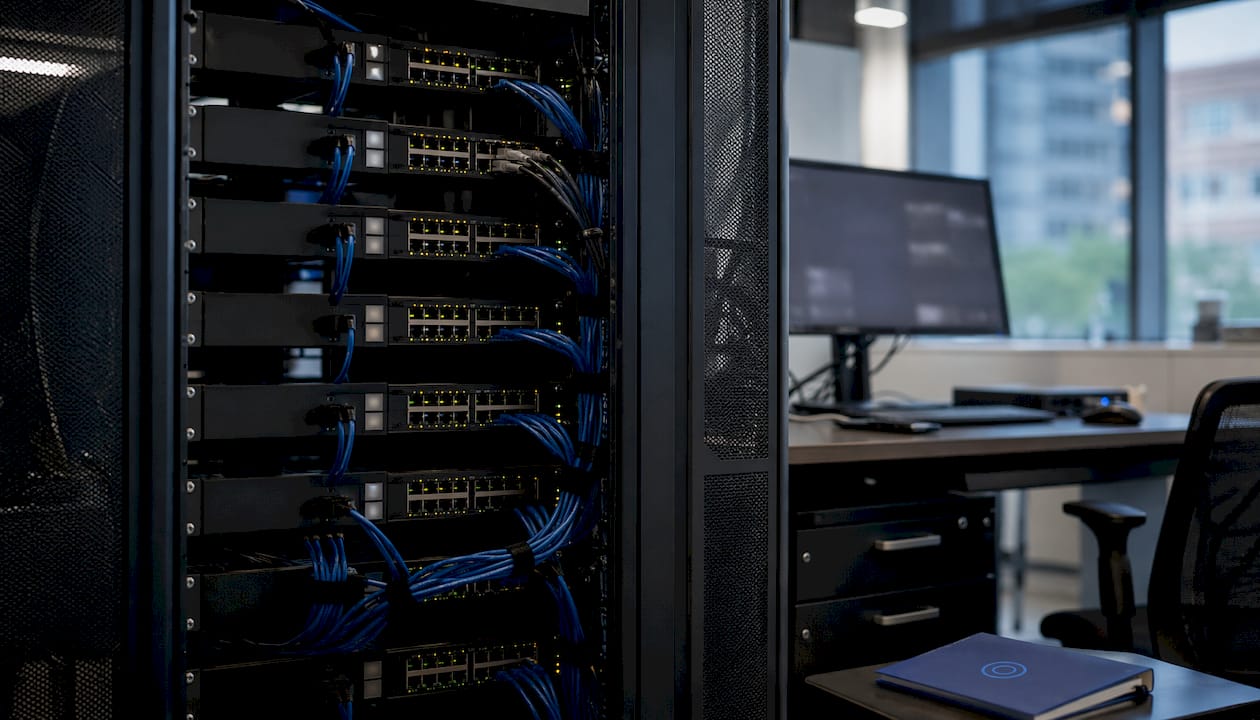
Beyond cameras, a complete system includes: managed PoE switches (with per-port power monitoring), NVRs sized by channel count and RAID configuration, a cloud VMS subscription for hybrid deployments, edge SD card storage as a failover, a UPS protecting the switch and NVR, outdoor junction boxes for weatherproof terminations, and solid-copper Cat6 cabling for all new runs.
Storage and retention planning
Business retention windows typically range from 30 to 90 days depending on industry needs. PCI-compliant retail environments covering POS areas commonly require 90 days of retention for compliance. A single 4K stream at full frame rate requires a higher bitrate; lower resolutions like 1080p require significantly less bandwidth. Multiply your per-camera bitrate by camera count, then by your retention window in seconds, to size your NVR drives. For a practical walkthrough of retention math, the small business storage guide from YDA covers drive sizing in detail.
| Camera type | Approx. bitrate | Recommended use |
|---|---|---|
| 4K / 8MP | 8–12 Mbps | Entrances, registers, docks |
| 2K / 4MP | 4–6 Mbps | Corridors, stairwells |
| 1080p / 2MP | 2–4 Mbps | General interior coverage |
| Thermal | Varies | Perimeter, server rooms |
How do you choose the right remote-monitoring system for your property?
Selection checklist
Before contacting a vendor, map these six factors for your site:
- Site risk map: entrances, POS locations, loading docks, parking, and any area with cash or high-value inventory.
- Retention requirement: 30 days minimum for most retail; 90 days for PCI-covered POS areas.
- Budget model: CAPEX (NVR purchase + installation) vs. OPEX (cloud subscription per camera per month).
- Uplink reliability: a site with frequent ISP outages needs local NVR recording, not pure cloud.
- Staff and IT capacity: who will manage firmware updates, account reviews, and incident exports?
- Multi-site needs: cloud or hybrid VMS becomes significantly more practical above two locations.
Questions to ask any installer or vendor
- What is the total PoE budget of the proposed switch, and what headroom remains after all cameras are connected?
- How will cameras be segmented from the business network — dedicated VLAN, separate subnet, or physical separation?
- What is the firmware update policy, and who is responsible for applying patches?
- Does the system support MFA and role-based access control for remote viewing accounts?
- How are recorded clips exported for law enforcement or insurance, and what is the chain-of-custody process?
- What SLA applies to remote access availability, and how are outages reported?
Ballpark costs and timelines
| Deployment type | Typical camera count | Approx. install time | Notes |
|---|---|---|---|
| Small office | A small number of cameras | About one day | NVR + PoE switch; no subscription required |
| Single retail store | A moderate number of cameras | One to two days | Hybrid recommended; cloud clips for POS |
| Multi-site (few locations) | Multiple cameras across sites | Several days total | Cloud VMS or hybrid; per-camera subscription varies |
Cloud per-camera subscription fees vary widely by vendor and feature tier. For a security camera features checklist tailored to property managers, YDA’s resource covers what to prioritize at each budget level.
DIY vs. managed vs. co-managed: DIY is appropriate only for very small, low-risk deployments where the owner has IT experience. A licensed installer is recommended whenever PoE network design, VLAN configuration, or multi-site management is involved. For many small businesses, a co-managed arrangement, where internal staff handle day-to-day viewing while a vendor handles hardening and escalation, offers the best balance of control and reliability.
What should you verify before and during installation?
Pre-install site survey checklist
- Walk every entrance, exit, loading dock, POS station, and parking area.
- Note lighting conditions at each camera position, day and night.
- Identify mounting heights (typically 9–10 feet for indoor dome cameras) and confirm sight lines are unobstructed.
- Mark prohibited-privacy areas: restrooms, locker rooms, and any space where employees have a reasonable expectation of privacy. Recording in these areas is a criminal offense in most states.
- Confirm Cat6 cable routing from each camera position to the NVR/switch location, noting any conduit requirements or fire-rated penetrations.
Network and power checklist
- Run an uplink speed test during peak business hours, not just at installation time.
- Size the PoE switch by summing the maximum power draw of every camera at worst-case operation (IR on, PTZ moving, heater active if applicable), then add 20–30% headroom to avoid intermittent reboots.
- Pull solid-copper Cat6 for all new runs; avoid patch cables for in-wall segments.
- Install a UPS on the PoE switch and NVR to protect footage during brief power events.
- Disable UPnP on the router and any managed switch before connecting cameras.
- Plan the camera VLAN and confirm ACL rules before the first camera goes online.
Bandwidth example: if you have 8 cameras at 1080p (3 Mbps each), simultaneous remote viewing of all streams requires roughly 24 Mbps of uplink. In practice, substreams (lower-resolution remote-view streams) reduce this significantly; the NVR records the full-quality main stream locally while delivering a compressed substream to mobile clients.
Commissioning and acceptance steps
| Step | What to verify |
|---|---|
| Camera leveling and focus | Confirm field of view covers intended zone; check focus at full resolution |
| Motion zone tuning | Set person/vehicle detection zones; test false-alert rate |
| Firmware snapshot | Document firmware version for every camera and the NVR at handover |
| User accounts | Create individual named accounts; disable default/admin credentials |
| MFA setup | Enable two-factor authentication on all remote-access accounts |
| Health check log | Confirm all cameras appear online in the VMS with no error flags |
| Documented handover | Provide the client with IP map, VLAN diagram, retention policy, and user guide |
For a detailed step-by-step commissioning sequence, YDA’s guide on how to set up a business security camera system covers each phase from cabling through final sign-off.
How should you run and maintain the system over time?
Suggested maintenance schedule
Weekly: Review camera health dashboard for offline units, storage warnings, or error flags. Confirm motion alerts are firing on test events.
Monthly: Audit user accounts and remove any stale or departed-employee credentials. Review access logs for unusual login times or locations.
Quarterly: Apply firmware updates to cameras and NVR, staging on one unit before rolling out fleet-wide. Test clip export and chain-of-custody procedure. Verify UPS battery health.
Annually: Conduct a full retention policy audit. Confirm that retention windows still match your business requirements and any applicable compliance rules. Review camera placement for changes in the physical environment.
Retention policy and holds
- Standard retention depends on industry needs, with automatic overwrite after the retention period closes.
- Investigation holds: suspend automatic deletion immediately for any footage relevant to an incident, insurance claim, or litigation hold. Document the hold in writing.
- Secure deletion: when footage is no longer needed and no hold applies, use the NVR’s secure-overwrite function rather than simply formatting the drive.
Operational roles
Designate who can view live feeds (operations staff), who can export clips (management only), and who handles escalation when recordings are missing or corrupted. Train every operator on the clip export procedure before an incident occurs, not after.
Backup and disaster recovery
Local RAID on the NVR protects against a single drive failure but not against fire, theft, or flood. Cloud clips for critical motion events provide off-site redundancy without the cost of mirroring every hour of footage. For high-value sites, schedule a weekly off-site backup of the NVR configuration file so the system can be restored quickly after a hardware failure.
How do you secure remote access and protect camera data?
Cybersecurity checklist
- Create unique admin accounts per user; never share credentials across staff.
- Enable MFA or SSO on all vendor portals and VMS dashboards.
- Implement role-based access control (RBAC): operators see live feeds, managers export clips, administrators change system settings.
- Maintain a firmware patch program with a documented schedule and a staging step.
- Disable UPnP on all network equipment; camera VLANs and disabled UPnP prevent cameras from becoming a lateral-movement vector into business systems.
- Apply firewall rules that permit only essential flows from the camera VLAN to the NVR and block all outbound camera traffic except to approved cloud endpoints.
- Use encrypted transport (TLS/HTTPS) for all remote access; avoid legacy unencrypted protocols.
Access model trade-offs
P2P relay is the easiest option for small sites and non-technical staff. Cloud relay suits centralized multi-site operations where a single dashboard matters more than strict IT control. VPN is the most secure model when internal IT owns the system and can manage certificates and access policies. Each model demands different SLAs and account controls; choose based on your IT capacity, not just convenience.
Pro Tip: Issue temporary, time-limited vendor access links when a contractor needs to view footage for a service call. Log every access event and set alert thresholds for logins outside business hours or from unfamiliar geographic locations. Never use a public Wi-Fi network for administrative access to the VMS.
Audio is the sharpest legal risk in any camera deployment. Legal experts recommend disabling microphone and audio features by default because audio is governed by state wiretap laws and can lead to criminal charges in all-party consent states including California, Florida, Illinois, Maryland, Massachusetts, and others. Document the decision to disable audio at the firmware level and retain that documentation.
What are the most common remote-monitoring problems and how do you fix them?
Step-by-step diagnostic sequence
- Camera offline in VMS: Check PoE switch port status and per-port power draw. A camera drawing more than its rated wattage will reboot intermittently if the switch has insufficient headroom.
- Flaky or pixelated remote stream: Test uplink speed and latency from the NVR location. Packet loss above 1% will degrade H.265 streams noticeably. Confirm the substream bitrate is set appropriately for mobile viewing.
- Camera rebooting periodically: Verify total PoE budget against switch capacity with the 20–30% headroom rule. Check for firmware mismatches between cameras on the same switch.
- Cannot connect remotely: Confirm the P2P or cloud relay service is active and the NVR has outbound internet access on the required ports. Check that the user account has not been locked or expired.
- Audio/video sync problems: Update camera firmware. If the problem persists, reduce the stream frame rate or bitrate to relieve processing load on the NVR.
Quick checks for intermittent issues
- Confirm all cameras are on the same firmware version.
- Verify NVR time sync (NTP) is active; timestamp drift causes sync and log problems.
- Check that motion zones have not been accidentally cleared after a firmware update.
When to call a licensed technician
Persistent packet loss that survives a switch replacement, repeated hardware resets with no clear power cause, footage that is unclear due to lens contamination or physical damage, and any situation involving a suspected breach or unauthorized access to the VMS all require a licensed technician. Attempting to resolve evidence-of-breach incidents without professional guidance can compromise the chain of custody for footage that may be needed in legal proceedings. Review common security camera mistakes to understand which problems are preventable at installation versus those that require on-site diagnosis.
YDA Security Systems NYC: real-world installation examples
Retail counter installation, Brooklyn
A single-location retail client in Brooklyn needed coverage of two register areas, a rear stockroom entrance, and the front door. YDA Security Systems NYC installed six 4K PoE dome cameras on a managed PoE switch with 30% power headroom, connected to an 8-channel NVR configured for 60-day retention. The camera VLAN was isolated from the store’s guest Wi-Fi and POS network. Remote access was configured via P2P relay with MFA enabled on all staff accounts. The client can view live feeds and pull timestamped clips from a mobile app without any IT staff on-site.
Multi-site small retail chain, Queens and Manhattan
A three-location retail operator needed a unified view across all sites without managing three separate NVR logins. YDA deployed a hybrid architecture: local NVRs at each site for full-quality 90-day retention, with motion-triggered cloud clips pushed to a centralized VMS dashboard. ePoE extended camera runs at one location where the NVR closet was more than 100 meters from a rear entrance. Uplink tests at each site confirmed sufficient bandwidth for remote substream viewing without affecting POS traffic. The operator’s manager reviews all three sites from a single mobile app.
Installation standard: Every YDA Security Systems NYC deployment includes a documented site survey, a written retention policy, a VLAN diagram, individual user accounts with MFA, and a formal handover package. Licensed and insured technicians perform all low-voltage wiring and commissioning. Client references are available upon request.
YDA Security Systems NYC serves Manhattan, Brooklyn, Queens, and Staten Island. For a full overview of real-world business surveillance setups across different commercial property types, the YDA blog covers eight deployment patterns with architecture notes.
Warranty and support: All installations carry a 1-year warranty on parts and labor. Maintenance plans and co-managed monitoring arrangements are available for clients who want ongoing firmware management, account audits, and priority response.
Key Takeaways
A hybrid PoE IP camera system with local NVR recording, cloud event clips, and VLAN segmentation is the most reliable and legally defensible architecture for most U.S. commercial properties.
| Point | Details |
|---|---|
| Start with a site survey | Map entrances, POS areas, lighting, and prohibited-privacy zones before purchasing any equipment. |
| Size PoE with headroom | Add 20–30% headroom above total camera draw to prevent intermittent reboots and remote access failures. |
| Disable audio by default | Audio recording triggers state wiretap laws; document the decision to disable microphones at the firmware level. |
| Plan retention at 30–90 days | Typical business retention windows range from 30 to 90 days; PCI-covered POS areas commonly require 90 days. |
| YDA Security Systems NYC | Licensed and insured installers serving Manhattan, Brooklyn, Queens, and Staten Island, with a 1-year installation warranty and documented handover. |
YDA Security Systems NYC handles the technical work so you don’t have to
Selecting the right camera architecture is only half the job. Getting it installed correctly, segmented properly, and documented for compliance is where most business owners run into trouble. YDA Security Systems NYC brings licensed and insured low-voltage technicians to every project in Manhattan, Brooklyn, Queens, and Staten Island, covering the full scope: PoE network design, Cat6 cabling, NVR configuration, VLAN setup, cloud VMS integration, and access control tie-ins for properties that need cameras and door hardware working together.
Every installation includes a 1-year warranty on parts and labor, a written retention policy, and a formal handover package with your VLAN diagram, firmware versions, and user account documentation. Maintenance contracts are available for quarterly firmware audits, account reviews, and priority response. For properties that need both cameras and integrated door hardware, YDA’s commercial door hardware and locksmith services can be scoped alongside the camera project.
To get started, request a site survey and installation estimate through YDA’s security camera installation service. A technician will assess your property, test your uplink, and deliver a written proposal with architecture, camera count, and retention plan before any work begins.
Useful sources and further reading
- CCTV Laws USA: Audio and Video Recording Rules — CCTVinfo’s overview of federal and state rules governing silent video and audio recording, including all-party consent states.
- Video Surveillance on Organizational Property — Kearnan Consulting Group’s advisory on written policies, retention periods, law enforcement requests, and employee notice requirements.
- Video Surveillance Laws by State — Ambient AI’s state-by-state compliance guide covering camera placement, audio consent, biometric obligations, and employer notice statutes.
- Remote Access Security Cameras: An SMB Security Guide — NutmegTech’s practical guide on network segmentation, VLAN design, and account hygiene for small and mid-size businesses.
- Business Security Camera Systems: NVR, Cloud, Hybrid Compared — PVRBlog’s architecture comparison covering retention planning, P2P relay costs, and hybrid design trade-offs.
- Cloud-Based Security Camera Systems for Business — Alpha9 Solutions’ breakdown of VSaaS costs, PoE budgeting, and hybrid architecture benefits.
- Real-Time Property Monitoring: A Guide for Managers — Realtevo’s guide to operational pitfalls and best practices for property managers overseeing remote monitoring systems.
- How to Set Up a Business Security Camera System — YDA Security Systems NYC’s step-by-step installation and configuration guide for commercial properties.
- Store Security Footage for Small Business: 2026 Guide — YDA’s in-depth guide to drive sizing, retention math, and backup strategies for retail operators.
FAQ
What is the best camera system architecture for a small business?
A hybrid design with PoE IP cameras, a local NVR for 30–90 day retention (most businesses need 30–90 days, with PCI-covered POS areas commonly requiring 90 days), and cloud clips for critical motion events gives most small businesses the best balance of evidence ownership, uplink efficiency, and off-site redundancy.
Is audio recording legal on business security cameras in the U.S.?
Silent video surveillance is broadly permitted across all 50 states, but audio recording triggers state wiretap laws and requires all-party consent in states including California, Florida, Illinois, and others. Disable microphones by default and consult legal counsel before enabling audio at any location.
How much uplink bandwidth do business cameras require for remote viewing?
A 1080p substream for remote viewing typically runs 2–4 Mbps per camera; a 4K main stream can require 8–12 Mbps. Size your uplink based on how many simultaneous remote streams your staff will need, not the total camera count.
How often should firmware and user accounts be audited?
Quarterly firmware updates and account reviews are the recommended minimum. Common breaches exploit unchanged default credentials and stale user accounts, so enforce unique named accounts, MFA, and a documented patch schedule from day one.
Can YDA Security Systems NYC handle multi-site camera installations?
Yes. YDA Security Systems NYC designs and installs hybrid camera systems across multiple commercial locations in Manhattan, Brooklyn, Queens, and Staten Island, including centralized VMS configuration, VLAN setup, and documented handover for each site.
This article is general information for planning purposes only and does not constitute legal advice. Confirm current video surveillance laws and retention requirements with qualified legal counsel for your specific jurisdiction and business type.

