
A business security camera system is defined as a network of cameras, recording infrastructure, and monitoring protocols designed to protect commercial property, deter theft, and produce legally usable footage. Setting up this type of system requires far more than mounting cameras on walls. Intentional design, regulatory compliance, and proper network infrastructure determine whether your system delivers real protection or simply creates the illusion of it. YDA Security Systems NYC has completed over 5,000 jobs across Manhattan, Brooklyn, Queens, and Staten Island, building surveillance systems that hold up under real operational conditions.
How to set up a business security camera system the right way
The most common mistake business owners make is buying cameras before defining what those cameras need to accomplish. A retail shop in Brooklyn needs facial identification at the entrance. A warehouse in Queens needs wide-area coverage of loading docks. A hotel in Manhattan needs both. Your goals determine every downstream decision, from camera type to storage capacity. Skipping this step produces a system that records constantly but captures nothing useful.
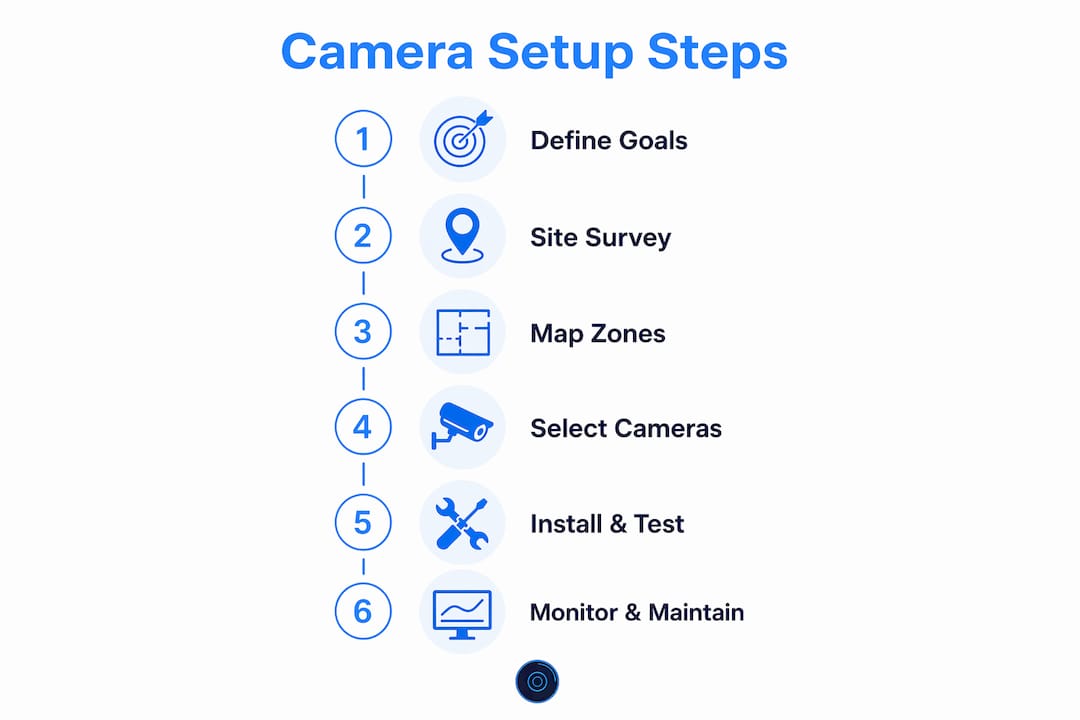
Step 1: Define your security objectives
Start by listing the specific outcomes you need. Deterrence, facial identification, license plate capture, and perimeter monitoring each require different camera specifications and placements. Write these down as a formal objective for each zone in your facility.
Step 2: Conduct a professional site survey
Design standards mandate 100% documentation through a camera schedule that maps every camera’s location and purpose, plus a network diagram that supports scalability. Walk every entrance, exit, stairwell, and high-value storage area. Note lighting conditions, ceiling heights, and cable routing paths. Document everything in a written camera schedule before purchasing a single piece of equipment.
Step 3: Map coverage zones
Divide your property into zones: public-facing areas, employee-only areas, cash handling zones, and perimeter. Each zone carries different legal and technical requirements. Overlapping coverage between zones prevents blind spots and strengthens evidentiary value.
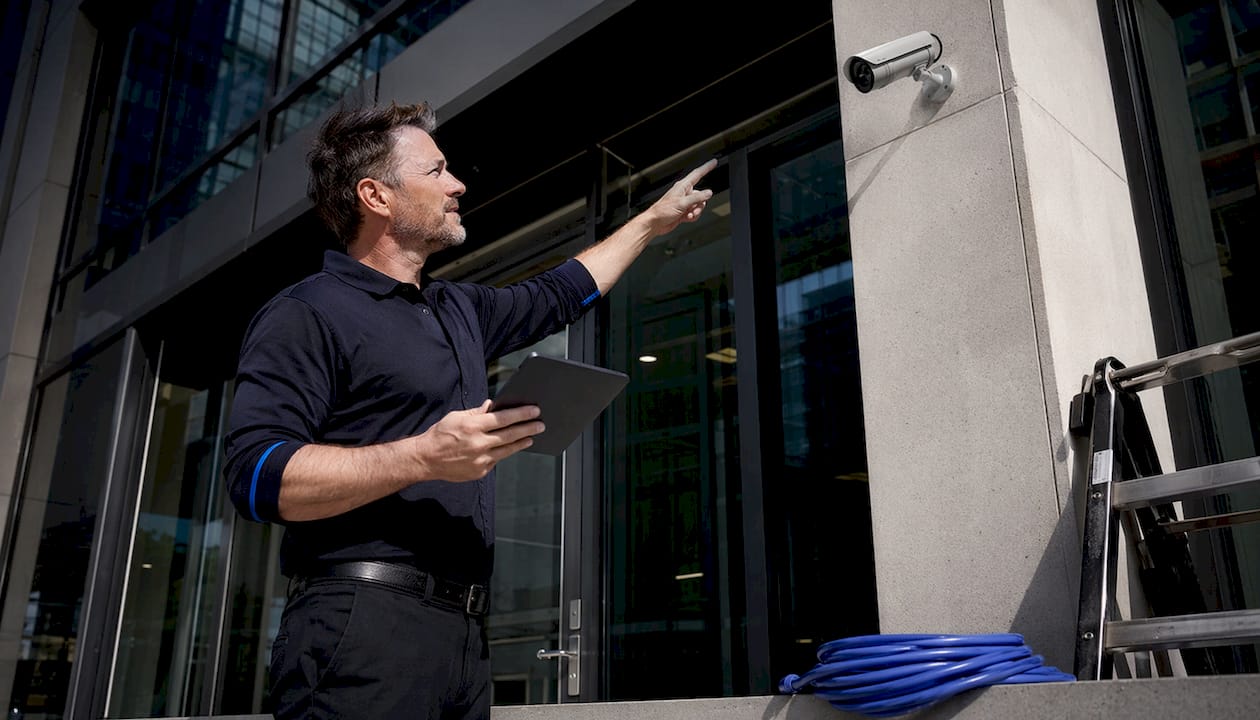
Pro Tip: Involve your operations manager or floor supervisor in the site survey. They know where incidents actually happen, not just where you assume they do.
For reference on real-world layout examples, the business surveillance setups guide from YDA Security Systems NYC covers eight documented commercial configurations across different property types.
What types of cameras work best for commercial properties?
Fewer cameras placed well outperform many cameras placed poorly. That principle should guide every selection decision. The three most common camera types for commercial use each serve a distinct purpose.
- Dome cameras mount flush to ceilings and resist tampering. They work well in retail floors, lobbies, and corridors where a low-profile appearance matters.
- Bullet cameras project visibly and act as a deterrent. They perform best at entrances, parking areas, and loading docks where long-range identification is needed.
- PTZ cameras (pan-tilt-zoom) cover large open areas like warehouses or parking lots. One PTZ can monitor a zone that would otherwise require three fixed cameras.
Camera resolution matters for identification purposes. A 4MP or higher resolution camera at an entrance provides usable facial detail. A 2MP camera covering a wide parking lot captures general movement but not identifiable features.
Mount cameras at 8–10 feet to optimize facial identification. Mounting too high produces top-down footage of foreheads, which courts and investigators find nearly useless. That height range keeps faces in frame while keeping cameras out of easy reach.
For outdoor installations, use cameras rated IP66 or higher for weather resistance. UV-resistant conduit protects cabling from sun degradation and physical damage. Infrared or low-light sensors handle nighttime coverage without requiring additional lighting infrastructure.
Pro Tip: Run outdoor cables through metal conduit rather than plastic. Rodents chew through plastic conduit, and UV exposure cracks it within two to three years in direct sunlight.
The security camera features checklist from YDA Security Systems NYC provides a structured evaluation framework for property managers comparing camera specifications.
What infrastructure does a commercial camera system require?
Network and power infrastructure is where most DIY business camera installations fail. Getting this layer right determines whether your system runs reliably for years or requires constant troubleshooting.
| Infrastructure Component | Function | Key Requirement |
|---|---|---|
| PoE Switch | Powers and connects IP cameras | Sized for camera count plus 20% headroom |
| Home-run cabling | Dedicated cable run per camera | Tested to 1 Gbps; labeled at both ends |
| Dedicated VLAN | Isolates camera traffic | Separate from main business network |
| Network Video Recorder (NVR) | Records and stores footage | Sized by bitrate, retention days, and RAID |
| UPS battery backup | Maintains uptime during outages | Covers NVR and switch at minimum |
All commercial IP camera cabling should run home-run to a PoE switch, tested to meet 1 Gbps, with outdoor runs protected by UV-resistant conduit or armored trunking. “Home-run” means each camera gets its own dedicated cable back to the switch, with no daisy-chaining. This prevents a single cable failure from taking down multiple cameras.
Creating a dedicated VLAN for security cameras isolates surveillance traffic and protects your business network from breaches and bandwidth contention. Plugging cameras directly into your main business network exposes both the cameras and your business data to unnecessary risk. For a deeper look at network security for surveillance systems, the commercial camera cybersecurity guide covers VLAN configuration and access control best practices.
Storage is the most underestimated cost in any commercial surveillance system. Calculate required capacity using your camera count, each camera’s bitrate, your retention period in days, and your RAID configuration’s efficiency factor. Under-provisioning means losing footage before incidents are discovered. Over-provisioning wastes significant budget that could go toward better cameras or redundancy.
What are the legal requirements for business security cameras?
Commercial surveillance law in the United States operates at the state level, and the rules vary significantly. Understanding these boundaries before installation protects your business from criminal liability and civil lawsuits.
- Prohibited recording areas: State privacy laws strictly prohibit recording in bathrooms, locker rooms, and changing areas. Violations carry criminal penalties in most states.
- Audio recording: Silent video recording is the legally safer default because audio recording often violates wiretap laws requiring all-party consent. Most security professionals recommend a zero-audio policy on all business cameras.
- Biometric data: States including Illinois and Texas require written consent and published policies before any facial recognition system collects biometric data.
- Signage: Posting conspicuous signage about video monitoring reduces liability and builds trust with employees and visitors, even when signage is not legally required.
- Written policy: Maintain a written surveillance policy that defines who can access footage, how long it is retained, and under what circumstances it is shared.
For NYC-specific compliance details, the NYC camera requirements guide from YDA Security Systems NYC covers local restrictions and documentation standards.
Pro Tip: If your business operates across multiple states or jurisdictions, default to the most restrictive standard across all locations. This single rule eliminates the need to track state-by-state variations for every policy decision.
How do you commission and verify a commercial camera installation?
Installation is not complete when the last camera is mounted. Commissioning is the verification process that confirms every component performs as designed before the system goes live.
- Verify physical placement. Confirm each camera covers its intended zone with no obstructions. Check that mounting hardware is secure and cables are properly dressed and labeled at both ends.
- Test image quality day and night. Commissioning requires testing every camera’s coverage day and night to verify image quality and confirm that infrared or low-light performance meets identification standards.
- Confirm PoE delivery. Use a network tester to verify that each camera receives adequate power over its cable run. Long cable runs can cause voltage drop that degrades performance.
- Validate network performance. Confirm that camera traffic routes correctly through the dedicated VLAN and that the NVR receives full bitrate from every camera simultaneously.
- Test recording and retrieval. Trigger motion events and confirm that recordings save correctly, timestamps are accurate, and footage can be exported in a format acceptable for law enforcement.
- Train operators. Every person responsible for monitoring, exporting footage, or managing retention schedules needs documented training. A system without trained operators becomes, as one industry standard puts it, expensive wallpaper.
- Hand off documentation. Deliver a complete as-built package including the camera schedule, network diagram, VLAN configuration, storage calculation, and operator training records.
Common installation mistakes to avoid include skipping cable labels, using consumer-grade switches without PoE budgeting, and failing to test night vision before sign-off. The security camera mistakes guide from YDA Security Systems NYC documents the most frequent errors found during commercial system audits.
Key Takeaways
A successful commercial surveillance system requires intentional design, proper network infrastructure, and legal compliance before a single camera is mounted.
| Point | Details |
|---|---|
| Define goals before buying | Set specific objectives per zone before selecting any camera model or quantity. |
| Mount cameras at 8–10 feet | This height produces usable facial identification footage for evidence and investigation. |
| Isolate cameras on a VLAN | A dedicated VLAN protects your business network and prevents bandwidth conflicts. |
| Default to zero-audio recording | Silent video avoids wiretap law violations across all states without exception. |
| Commission before going live | Test image quality, PoE delivery, and recording retrieval before handing the system to operators. |
Professional camera installation for NYC businesses
YDA Security Systems NYC designs and installs commercial surveillance systems across Manhattan, Brooklyn, Queens, and Staten Island for retail stores, office buildings, warehouses, and hospitality properties. Every project begins with a professional site survey, a documented camera schedule, and a network diagram built to your property’s specific layout and security objectives. Licensed and insured technicians handle all low-voltage wiring, PoE switch configuration, VLAN setup, and NVR commissioning, with a 1-year warranty on every installation. For businesses ready to move from planning to a fully operational system, professional camera installation from YDA Security Systems NYC delivers a compliant, tested, and documented result from day one.
FAQ
What is the first step to set up a business security camera system?
The first step is defining your security objectives for each zone in your facility. Without clear goals, camera selection and placement decisions lack a reliable basis.
How many cameras does a commercial property need?
Camera count depends on the number of zones, coverage area, and camera field of view. A professional site survey with a documented camera schedule produces the most accurate count for your specific property.
Can I install business security cameras myself?
DIY installation is possible for small systems, but commercial properties require proper VLAN configuration, PoE budgeting, and compliance documentation that typically require professional expertise to execute correctly.
Is audio recording legal on business security cameras?
Audio recording on business cameras frequently violates state wiretap laws that require all-party consent. A zero-audio policy is the legally safer standard for most commercial operations.
How long should business security camera footage be retained?
Retention periods vary by industry and jurisdiction, but 30 days is a common baseline for general commercial use. High-risk environments or regulated industries often require 60 to 90 days of stored footage.

