Store security footage is defined as the recorded video captured by a surveillance system to document activity inside and around a business premises. For small business owners, this footage is the clearest, most reliable evidence available when theft occurs, an employee dispute arises, or a liability claim is filed. A well-managed small business surveillance system does more than record events. It deters incidents before they happen and gives you the documentation to resolve them quickly when they do.
How to store security footage for small business: camera selection and placement
The foundation of useful footage is camera quality and placement. A typical small business security setup uses about 8 cameras to cover key areas for theft prevention and safety. That number covers entrances and exits, the point-of-sale counter, the main sales floor, stock rooms, and the parking area, which are the locations where incidents most commonly occur.
Resolution determines whether your footage is actually usable as evidence. 4MP camera resolution is considered optimal for capturing clear, identifiable footage without overwhelming your storage capacity. Reserve 4K resolution for the highest-risk zones, specifically entrances and payment counters, where facial and license plate clarity matters most.
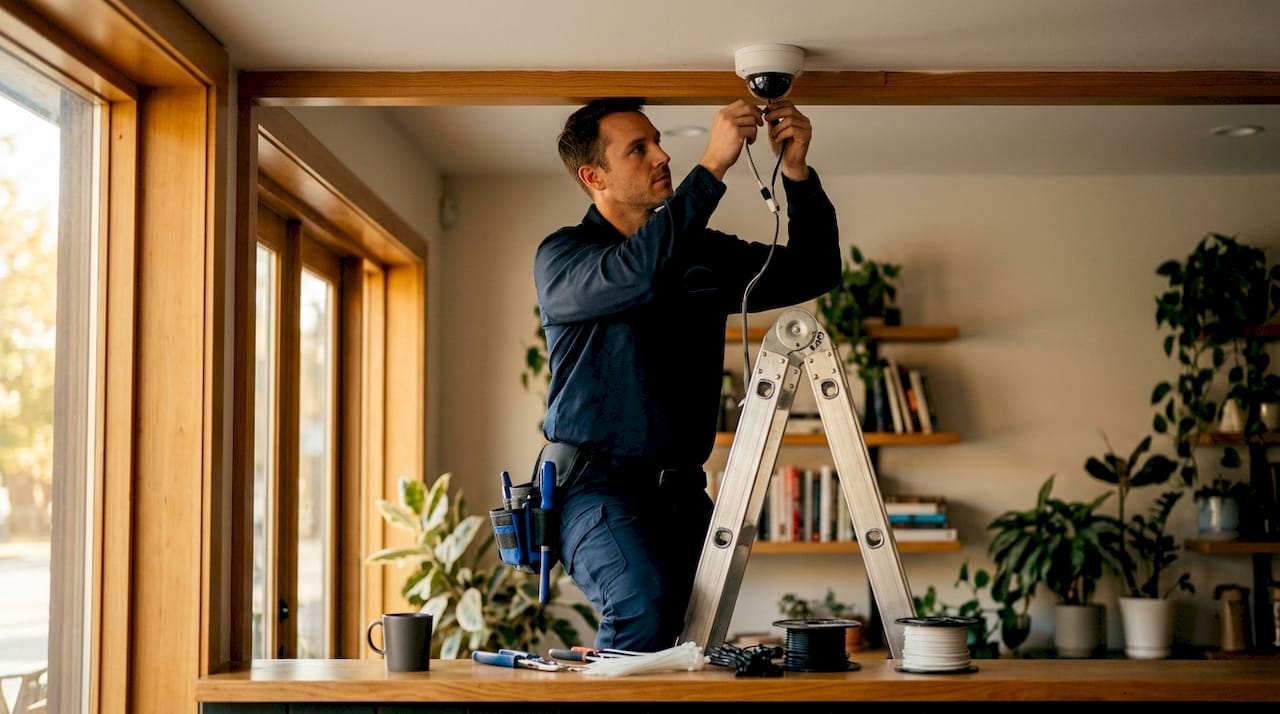
Placement strategy matters as much as camera count. Fewer, well-placed, high-resolution cameras consistently outperform many low-quality units spread across a space. Focus on choke points where people must pass through, rather than trying to cover every square foot.
Common placement priorities for a retail or shop environment include:
- Front and rear entrances, positioned to capture faces at entry
- The POS counter, angled to show both the register and the customer
- Main aisles and high-value merchandise displays
- Stock room entry points and loading docks
- Parking areas, using wide-angle or PTZ cameras for broader coverage
Pro Tip: Install cameras at a height of 8–10 feet and angle them slightly downward. This angle captures faces clearly without giving a top-down view that makes identification difficult.
Commercial-grade systems with built-in AI features, such as motion detection and person recognition, produce more reliable footage than consumer-grade cameras. The AI filtering also reduces the volume of footage you need to review, which saves significant time during incident investigation.
What are the best storage options for small business surveillance footage?
Storage is where many small business owners make costly mistakes. The three main options are local storage via a Network Video Recorder (NVR), cloud storage, and hybrid storage combining both methods.
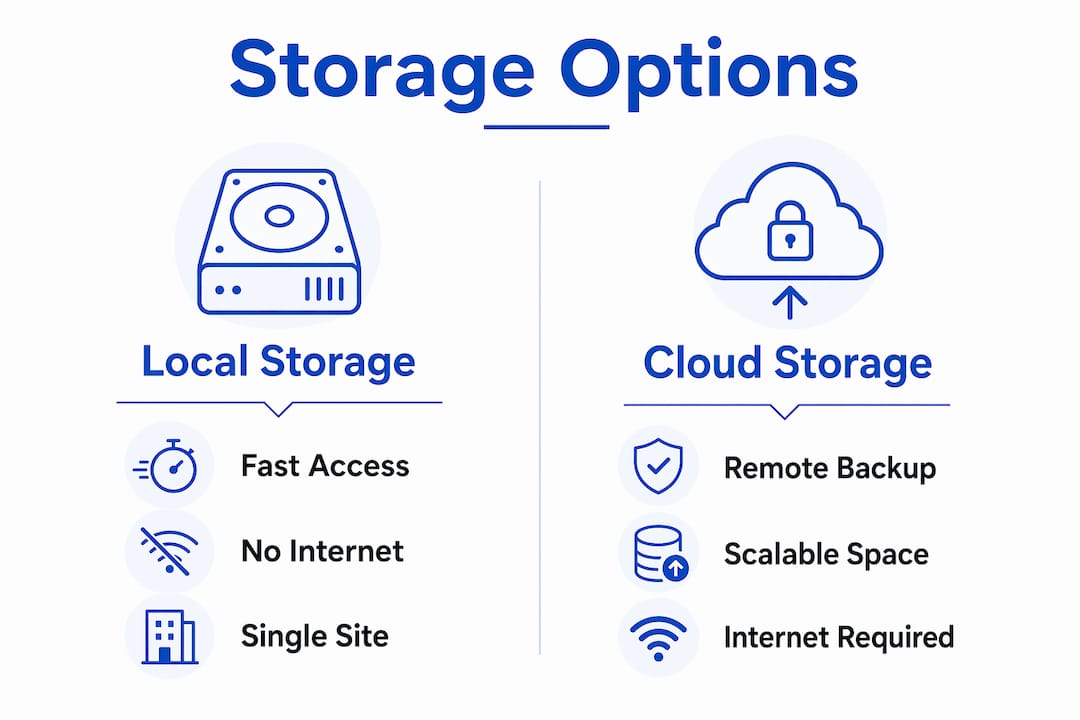
| Storage type | Access speed | Redundancy | Best for |
|---|---|---|---|
| Local NVR | Fast, no internet needed | Low (single point of failure) | Budget-conscious setups |
| Cloud only | Depends on internet speed | High | Remote access priority |
| Hybrid (NVR + cloud) | Fast local, cloud backup | High | Most small businesses |
Hybrid storage is the industry best practice for small businesses. Local NVR storage gives you fast access even when your internet is down. Cloud backup protects footage if the NVR is stolen, damaged, or fails. Relying on local storage alone is a significant risk, particularly in retail environments where the NVR itself can be targeted during a break-in.
Retention policy is the other critical variable. Typical retention for small business surveillance footage is 30 to 90 days, but many smaller retailers run overwrite cycles as short as 3 to 7 days. A 3-day cycle means that if you do not review footage within 72 hours of an incident, the evidence is gone permanently. Set your system to hold at least 30 days of footage as a baseline, and extend that to 90 days if your business handles high-value inventory or cash transactions regularly.
Storage capacity calculation is straightforward. Multiply your camera count by the resolution and the number of days you want to retain footage. An 8-camera system running 4MP cameras with motion-based recording typically requires 4–8 TB of storage for a 30-day retention window. Many NVR systems support expandable hard drive bays, so you can scale storage as your needs grow.
Pro Tip: Enable motion-triggered recording rather than continuous recording. This single setting can reduce your storage consumption by up to half while preserving all footage that actually matters.
How should you review and manage security footage effectively?
A clear review process is what separates a functional surveillance system from one that only looks useful on paper. Reviewing footage every 24 to 48 hours is the recommended standard for small businesses. Many store owners only check cameras after an incident is reported. That reactive approach frequently results in lost evidence because the footage has already been overwritten.
A practical footage review workflow follows these steps:
- Schedule daily or every-other-day reviews. Assign a specific staff member or manager to check motion alerts and flagged clips each morning before the store opens.
- Use motion alerts and event tagging. Modern NVR systems and cloud platforms generate motion-triggered clips. Review these first rather than scrubbing through hours of continuous footage.
- Flag and export suspicious clips immediately. When you identify a clip that shows a potential incident, export it to a separate, secure location right away. Do not leave it in the active recording loop where it can be overwritten.
- Document the chain of custody. Record the date, time, camera number, and a brief description of the incident. Note who exported the clip and where it was saved. This documentation is required if footage is ever used in a legal proceeding.
- Restrict access to footage. Limit playback and export permissions to managers or designated security personnel. Unrestricted access increases the risk of accidental deletion or tampering.
Proper evidence handling requires locking down the relevant time range, marking clips clearly, exporting with file verification, and maintaining a documented chain of custody. Skipping any of these steps can make footage inadmissible or unusable when it matters most.
Pro Tip: Create a shared log, even a simple spreadsheet, where managers record every footage review session. Include the date, time range reviewed, and any clips flagged. This log protects you legally and keeps your team accountable.
Many small businesses underestimate the complexity of managing footage access and preservation. Written policies and brief staff training sessions resolve most access and handling errors before they become problems.
Troubleshooting common issues with security footage management
Even well-designed systems encounter problems. Knowing the most common failure points helps you address them before they cost you critical evidence.
Footage is overwritten before review. This is the most frequent issue small business owners face. Systems may erase footage in as few as 3 to 7 days to manage storage. The fix is a combination of longer retention settings, larger storage capacity, and a consistent daily review schedule.
The NVR is stolen or damaged during a break-in. A thief who knows where your recorder is located can eliminate all local evidence in seconds. Hybrid storage with cloud backup prevents total evidence loss in this scenario. Mount your NVR in a locked, concealed cabinet and consider a secondary backup drive in a separate location.
Footage quality is too poor to identify individuals. Low-resolution cameras or poor placement produce footage that is legally and practically useless. Replace consumer-grade units with commercial-grade cameras at 4MP or higher, and reposition them to capture faces at entry points rather than the tops of heads.
Access control is too loose. When multiple employees can access, export, or delete footage without oversight, the risk of tampering or accidental deletion rises sharply. Implement role-based access controls on your NVR or cloud platform so that only authorized managers can export or delete clips.
A formal footage request arrives from law enforcement or legal counsel. A written preservation letter specifying incident details, date, time, and camera positions creates a legal obligation to protect that footage. Informal verbal requests carry no legal weight. Respond to formal written requests immediately by locking the relevant footage and consulting your legal advisor before sharing copies.
Key Takeaways
Effective store security footage management for small businesses requires quality cameras, hybrid storage, a 30-day minimum retention policy, and a consistent 24-to-48-hour review schedule.
| Point | Details |
|---|---|
| Camera count and placement | An 8-camera baseline covering entrances, POS, aisles, stock rooms, and parking provides effective coverage. |
| Resolution standard | Use 4MP cameras for general coverage and 4K for entrances and payment zones where identification is critical. |
| Storage best practice | Hybrid storage combining a local NVR with cloud backup protects footage against hardware theft and network failures. |
| Retention policy | Set overwrite cycles to a minimum of 30 days to preserve evidence and reduce the risk of losing critical footage. |
| Review schedule | Review footage every 24 to 48 hours and export flagged clips immediately with documented chain of custody. |
Professional security camera installation for your business
Managing store security footage well starts with a system that is designed and installed correctly from day one. YDA Security Systems NYC provides licensed and insured installation of commercial-grade camera systems, NVR and hybrid storage configurations, and access control integration tailored for small businesses across New York City.
YDA Security Systems NYC has served over 5,000 clients and backs every CCTV installation with a one-year warranty. Whether you need a complete 8-camera retail setup with cloud backup or an upgrade to your existing system, the team at YDA Security Systems NYC delivers fast response times and configurations built for real-world business security needs. Visit security-systems.nyc to request a consultation and get a system that works as hard as you do.
FAQ
How long should a small business keep security footage?
Typical retention is 30 to 90 days, with 30 days as the recommended minimum. Businesses handling high-value inventory or frequent cash transactions should extend retention to 90 days.
How many cameras does a small business need?
Most small businesses need 6 to 12 cameras, with 8 cameras serving as an effective baseline for a typical retail setup covering all key zones.
What is the best way to store security footage for a small business?
Hybrid storage combining a local NVR with cloud backup is the industry best practice. Local storage provides fast access without internet dependency, while cloud backup prevents total data loss if hardware is stolen or fails.
How often should store owners review security footage?
Reviewing footage every 24 to 48 hours is the recommended standard. Waiting until after an incident is reported often means the footage has already been overwritten, particularly on systems with short 3-to-7-day overwrite cycles.
What resolution camera should a small business use?
4MP resolution is the optimal choice for most coverage areas, offering clear facial and detail capture without excessive storage demands. Reserve 4K cameras for entrances and payment counters where identification accuracy is most critical.