
AI security cameras turn passive video into searchable, actionable intelligence that reduces false alarms, speeds incident response, and lowers operating costs. For property owners and business managers evaluating an upgrade, the core advantages are immediate and measurable: smarter detection, fewer wasted guard-hours, and footage you can actually search in seconds rather than scrub through for hours.
Here is what the technology delivers in practice:
- Dramatic false-alarm reduction: One retail deployment reduced monthly false alarms from over 200 to about 10 after switching to AI cameras, a reduction of more than 90%.
- Faster incident response: Real-time classification means alerts reach the right person with context, not just a motion trigger.
- Searchable footage: Query by object type, time, or zone instead of rewinding hours of raw video.
- Behavioral and occupancy analytics: Detect loitering, count people, and generate operational data that go beyond security.
- Measurable ROI: Fewer false dispatches, reduced monitoring labor, and faster evidence retrieval all translate to direct cost savings.
YDA Security Systems NYC has deployed AI-enhanced camera systems across Manhattan, Brooklyn, Queens, and Staten Island to a large number of clients, with a 1-year installation warranty and licensed, insured technicians on every job. The technology is worth prioritizing for busy small-business owners, multifamily property managers, and homeowners who regularly receive high-value deliveries or manage after-hours access.
Pro Tip: Before requesting a quote, list the three specific events you most want to detect or investigate. That list will drive every hardware and analytics decision that follows.
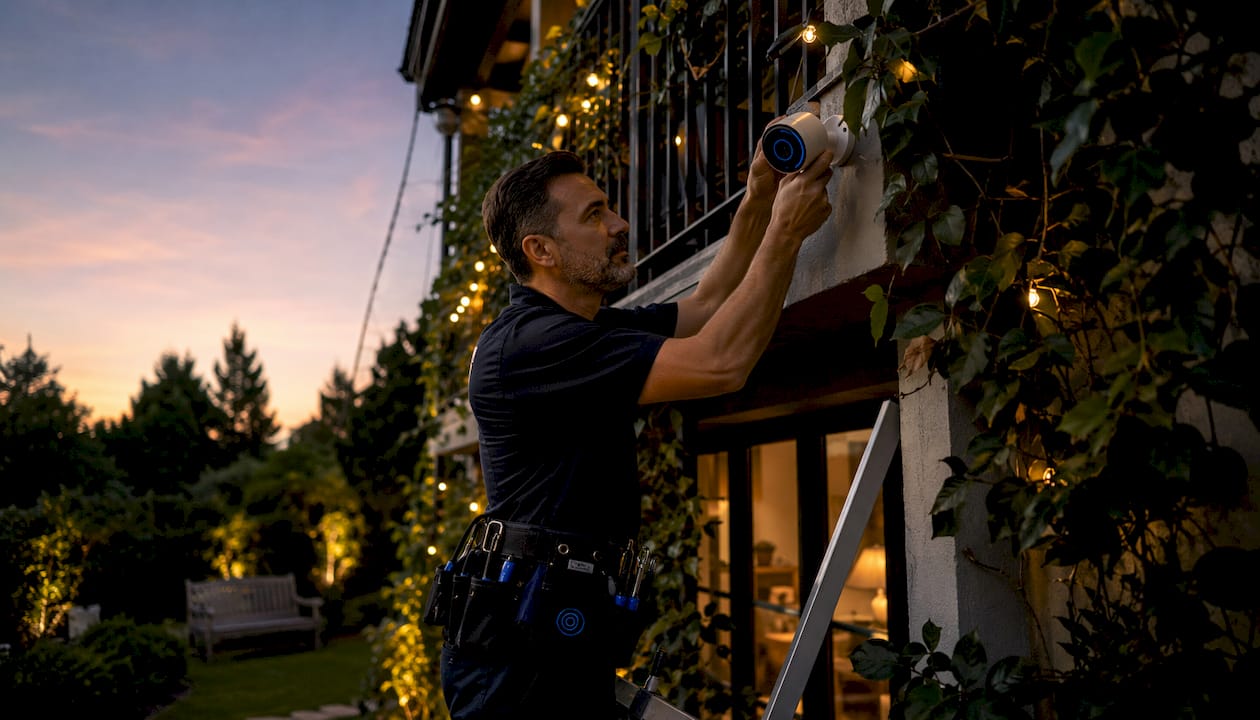
Table of Contents
- What makes an AI security camera different from a regular one?
- How AI cameras actually work — a plain-language overview
- Key AI capabilities worth paying for
- Top benefits in depth: security, efficiency, and cost savings
- Where AI cameras deliver the most value by industry
- Privacy, ethics, and U.S. legal considerations
- What drives cost and how to model a simple ROI
- Known limitations and what to watch for
- How to implement AI security cameras: YDA Security Systems NYC’s installation checklist
- Key Takeaways
- YDA Security Systems NYC brings AI camera expertise to your property
- Useful sources
- FAQ
What makes an AI security camera different from a regular one?
A conventional IP camera records video and stores it. That is the full extent of its intelligence. An AI security camera does the same recording, but adds a computer vision layer that classifies what it sees in real time: a person, a vehicle, a package, a face, a license plate. Instead of delivering raw footage, it delivers labeled events with metadata you can filter, search, and act on.
The functional difference matters most at 2 AM when something triggers an alert. A conventional camera sends a motion clip. An AI camera sends a clip tagged “person, east entrance, 02:14 AM” and, depending on configuration, can distinguish that person from a tree branch moving in the wind.
Conventional vs. AI camera at a glance:
| Feature | Conventional IP Camera | AI Security Camera |
|---|---|---|
| Recording | Continuous or motion-triggered | Continuous with event classification |
| Alert type | Motion trigger (any movement) | Classified event (person, vehicle, package) |
| Footage search | Manual scrubbing by timestamp | Query by object type, zone, or time |
| Analytics | None | Occupancy, behavior, LPR, face matching |
| False-alarm rate | High | Significantly reduced |
| Processing location | None (records to NVR/cloud) | Edge, on-premise server, or cloud |
Processing location shapes the privacy and performance profile of any AI deployment. Edge processing runs the AI model directly on the camera chip, keeping data local and reducing bandwidth demand. On-premise server inference sends video to a local GPU server, allowing more powerful models without cloud dependency. Cloud processing streams footage to a vendor’s servers for analysis, enabling frequent model updates but introducing latency and third-party data exposure.
On-device processing keeps more data local and reduces cloud dependency, though it may restrict model size and the frequency of updates compared with cloud-based inference.
Pro Tip: For privacy-sensitive sites such as medical offices, legal firms, or residential properties with minors, on-device or on-premise inference is the right default. Cloud processing is better suited to multi-site programs where centralized analytics and model updates outweigh the added exposure.
How AI cameras actually work — a plain-language overview
The data flow inside an AI camera system follows a logical sequence: the lens captures light, the image sensor converts it to digital data, an encoder compresses the stream, and that stream moves to an inference engine — either on the camera chip, a local server, or a cloud node. The inference engine runs a trained model against each frame or frame segment, generating metadata: “person detected, zone 3, confidence 87%.” That metadata feeds into a video management system (VMS), a mobile app, or an operations dashboard, triggering alerts or populating a searchable event log.
Common detection models cover persons, vehicles, faces, license plates, and behavioral patterns such as loitering or crowd formation. More advanced deployments add cross-camera tracking, which follows a subject across multiple camera views, and occupancy counting, which generates real-time headcount data for compliance or staffing decisions.
The trade-off between edge and cloud inference comes down to latency, model capability, and bandwidth. Edge inference is fast and private but limited by the camera’s onboard chip. Cloud inference can run larger, more frequently updated models but adds round-trip latency and requires a reliable internet connection. For most NYC commercial properties, a hybrid approach — edge inference for real-time alerts, cloud for analytics and model updates — offers the best balance.
Key insight: The quality of an AI camera system depends less on the camera hardware than on the model running behind it. A mid-range camera with a well-tuned model consistently outperforms a premium camera running a generic, poorly-maintained model. Ask vendors how often models are retrained and what the documented false-positive rate is for your specific environment.
Before committing to a vendor, ask these questions:
- What is the documented false-positive rate for person detection in outdoor environments?
- How often are detection models updated, and is that included in the license?
- Can the system be tuned for site-specific conditions (lighting, camera angle, scene complexity)?
- What happens to detection capability if the cloud connection drops?
- Is inference hardware (GPU server, NVR with AI chip) included in the quote or billed separately?
Pro Tip: Run a live on-site demo before signing any contract. Record 30 minutes of footage across different lighting conditions — midday, dusk, and artificial light — and review the event log for missed detections and false positives. A vendor confident in their system will welcome this test.
Key AI capabilities worth paying for
Not every AI feature delivers equal value for every property type. The capabilities below represent the most operationally useful functions available in current deployments, ranked by how broadly they apply across residential and commercial settings.
-
Person detection identifies human figures and separates them from animals, vehicles, and environmental movement. This is the baseline capability that drives false-alarm reduction and is available on virtually every AI camera platform, including most on-device models.
-
Vehicle detection classifies cars, trucks, and motorcycles, enabling alerts for unauthorized vehicles in restricted zones and supporting parking management. Widely available on-device.
-
Package detection flags delivered parcels at entry points, useful for residential properties and small businesses managing delivery theft. Available on most consumer-grade AI cameras and some commercial platforms.
-
Facial recognition and familiar-face matching identify known individuals or flag unknown faces. This capability carries significant privacy implications and is subject to state-level regulation in several U.S. jurisdictions. Prefer opt-in familiar-face use for residential applications and post clear signage in any shared space where facial recognition is active.
-
License plate recognition (LPR) reads and logs plate numbers at entry and exit points. Particularly valuable for parking facilities, gated communities, and commercial loading docks. LPR typically requires dedicated camera placement (low angle, controlled lighting) and is often a cloud or server-side feature due to model complexity. For detailed deployment guidance, LPR camera installations require specific mounting heights and lens focal lengths to achieve reliable read rates.
-
Loitering and behavior analytics detect when a person remains in a defined zone beyond a set time threshold, or when movement patterns suggest suspicious activity. Effective for retail entrances, parking structures, and building perimeters.
-
People counting and occupancy monitoring generate real-time headcount data for compliance with capacity limits, staffing optimization, and customer flow analysis. Commonly used in retail, hospitality, and multifamily common areas.
-
Cross-camera tracking follows a subject across multiple camera views using appearance matching, enabling security teams to reconstruct a full movement path without manual footage review. Typically a server or cloud feature.
-
Smart search allows operators to query recorded footage by object type, color, zone, or time range. A task that previously took hours of manual scrubbing can be completed in minutes.
Pro Tip: Prioritize capabilities by the job the camera needs to do, not by feature count. A retail entrance needs person detection and smart search. A parking garage needs LPR and vehicle detection. Buying every feature adds license cost without proportional security value.
Top benefits in depth: security, efficiency, and cost savings
Improved threat detection and earlier alerts
AI cameras detect and classify events in real time, which means a security team or property manager receives a contextual alert — not a raw motion clip — within seconds of an event. Active deterrence features, available on select camera models, can trigger a speaker warning or strobe light automatically when a person is detected in a restricted zone after hours. That combination of early detection and automated response compresses the window between an incident occurring and a meaningful response being initiated.
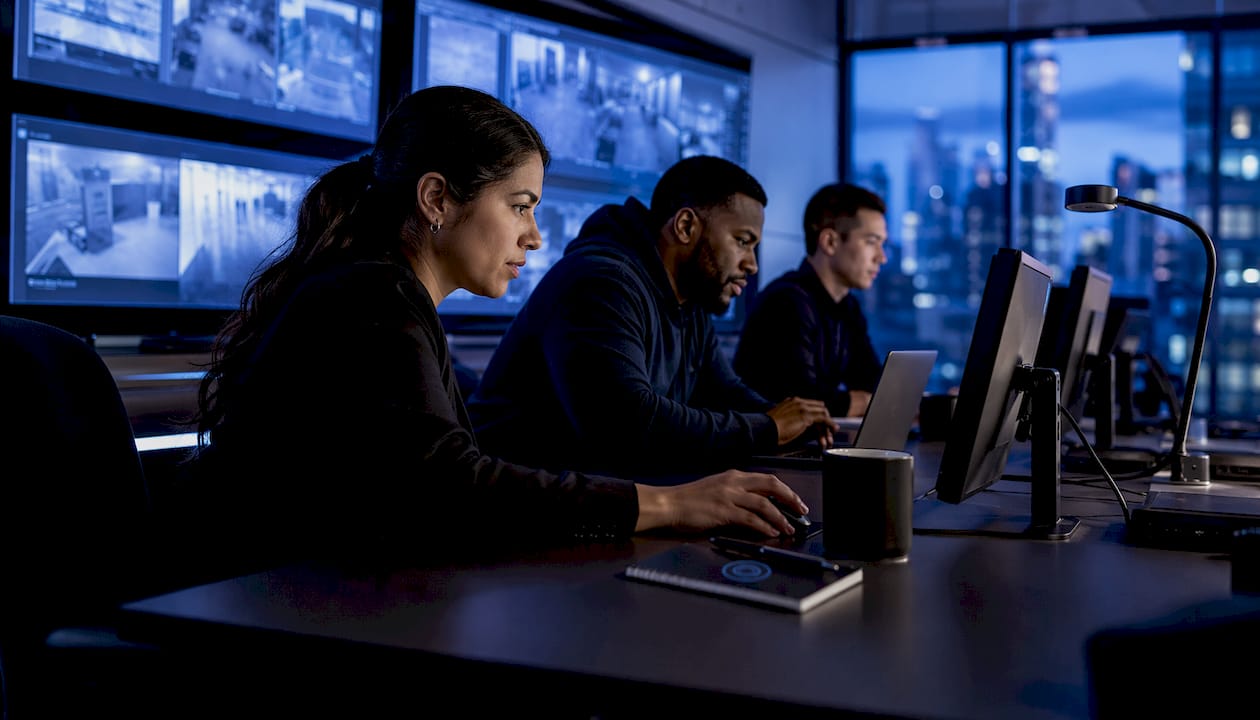
The reduction in false alarms is where the security improvement is most tangible day-to-day. AI video analytics automate monitoring in ways that reduce human error and shorten response windows, particularly for after-hours events when staffing is minimal.
Operational efficiency and reduced guard-hours
Fewer false alarms directly reduce the labor cost of monitoring. A guard or remote monitoring operator who previously responded to dozens of motion triggers per shift can focus on genuine events. For properties using third-party monitoring services, fewer false dispatches also reduce the risk of fines from local authorities, which some municipalities impose after repeated false alarm responses.
Smart search is the efficiency gain that surprises most property managers after installation. Retrieving footage of a specific incident for insurance or law enforcement — a task that previously required hours of manual review — typically takes minutes with AI-indexed footage.
Cost savings and ROI
The ROI case for AI cameras rests on three levers: reduced monitoring labor, fewer false-dispatch costs, and faster incident resolution. Five-year total cost of ownership often surprises buyers because recurring analytics licenses, cloud storage, and operations labor add materially to the initial hardware cost. Modeling ROI accurately requires accounting for all of these lines, not just the camera price.
On cost realism: Buyers who focus only on hardware price routinely underestimate five-year TCO. Operations labor, integration work, and server or inference hardware are substantial cost lines that belong in any honest ROI model from day one.
For a small retail business paying a monitoring service and absorbing occasional false-dispatch fines, the break-even on an AI analytics upgrade often occurs within about a year or slightly more. Multifamily properties with high common-area monitoring costs may see similar timelines. The security camera features checklist from YDA Security Systems NYC helps property managers identify which analytics capabilities deliver the fastest payback for their specific property type.
Where AI cameras deliver the most value by industry
The advantages of AI cameras scale with the complexity of the monitoring challenge. Here is how the technology maps to the most common property types served across NYC:
Residential properties benefit most from package detection, familiar-face alerts at entry points, and smart search for reviewing delivery or visitor activity. A Brooklyn brownstone owner managing a short-term rental, for example, can receive an alert when an unrecognized face appears at the door and review the full visit log without touching an NVR.
Retail locations gain the most from loss-prevention analytics: person detection at high-risk zones, behavior analytics near merchandise displays, and smart search for evidence retrieval after a theft event. Security cameras in checkout areas combined with AI analytics create a documented record that supports both internal investigations and insurance claims.
Office buildings and commercial properties use AI cameras for access-control integration, after-hours perimeter monitoring, and occupancy data that informs facilities decisions. When camera events feed directly into an access-control system, an unauthorized entry attempt triggers both a camera alert and a door-lock response simultaneously.
Multifamily properties — co-ops, condos, and apartment buildings across Manhattan, Queens, and Staten Island — apply AI cameras to common-area monitoring: lobbies, laundry rooms, parking garages, and package rooms. Occupancy counting in amenity spaces supports building rules without requiring a staff presence.
Construction sites use AI cameras for after-hours perimeter monitoring, equipment theft detection, and vehicle access logging. LPR at site entrances creates an automatic arrival and departure log for subcontractors and delivery vehicles.
Parking facilities represent one of the clearest ROI cases for LPR combined with vehicle detection. Automated entry and exit logging, unauthorized-vehicle alerts, and integration with payment systems reduce staffing requirements and improve enforcement.
For a broader view of how these deployments look in practice, business surveillance setups from YDA Security Systems NYC illustrate real configurations across different property types and scales.
Scale consideration: A single-site small business benefits most from false-alarm reduction and searchable footage. Multi-site programs gain additional value from centralized analytics and cross-site search, where the analytics investment is spread across more cameras and the operational savings compound.
Privacy, ethics, and U.S. legal considerations
AI cameras generate more than video. They produce metadata — object labels, movement paths, timestamps, and in some configurations, biometric templates — that may be stored separately from the video itself and can persist long after the footage is deleted. That distinction matters for compliance and for understanding what a vendor actually holds about your property and its occupants.
Privacy controls to verify before purchase:
- Where is inference performed? On-device, on-premise server, or vendor cloud?
- What metadata does the system generate and retain, and for how long?
- Is video and metadata encrypted in transit and at rest?
- Who has access to footage and event logs, and is that access logged?
- Does the vendor share data with law enforcement or third-party partners, and under what conditions?
- How are firmware and model updates delivered, and can you defer them?
Ethical considerations center on proportionality: deploy the least sensitive capability that accomplishes the security objective. Facial recognition and biometric matching carry higher risk than person detection and should be limited to applications where the benefit clearly justifies the data collection. In shared spaces such as apartment lobbies or retail floors, post visible signage disclosing that AI-assisted surveillance is in use.
U.S. legal requirements vary by state. Several states, including Illinois, Texas, and Washington, have biometric privacy laws that impose consent and retention requirements on facial recognition systems. New York City has its own surveillance disclosure requirements for commercial tenants. Treat these as a floor, not a ceiling: privacy-by-design practices — collecting the minimum data needed, setting short retention windows, and limiting access — reduce legal exposure regardless of jurisdiction.
Privacy principle: Define the camera’s job before purchase. Collect the least sensitive data needed to do that job, and set retention controls accordingly. A poorly-scoped deployment that captures more than it needs creates operational and legal risk that compounds over time.
This article provides general information about AI camera privacy practices and is not legal advice. Confirm current requirements with a qualified attorney or your jurisdiction’s primary regulatory source for your specific deployment.
Pro Tip: Treat your camera system’s account credentials like house keys, not streaming logins. Enable two-factor authentication, limit shared access to named individuals, and audit access logs quarterly. Companion apps can collect secondary data including location, contact lists, and device IDs — choose local or hybrid storage options to reduce the amount of raw footage and metadata that traverses third-party servers.
What drives cost and how to model a simple ROI
AI camera project costs break into five categories, and understanding each prevents the budget surprises that derail otherwise sound deployments.
Cost breakdown:
- Camera hardware: AI-capable cameras range from consumer-grade models with on-device inference to commercial-grade units with higher resolution, wider dynamic range, and more robust housings. Hardware is typically the most visible line item but not the largest over five years.
- Installation labor: Low-voltage wiring, mounting, PoE switch configuration, and conduit work. In NYC, licensed low-voltage contractors are required for commercial installations.
- Analytics license: Charged per camera per month or as a per-site annual fee. This recurring cost is the line most buyers underestimate at the proposal stage.
- Storage and retention: Local NVR/SAN, cloud storage, or hybrid. Longer retention windows and higher-resolution streams multiply storage costs quickly.
- Network and inference hardware: PoE switches, GPU inference servers for on-premise deployments, and network upgrades to support higher bandwidth streams.
- Operations and tuning labor: Ongoing model tuning, alert threshold adjustments, and system health monitoring. Integration labor alone commonly represents a significant portion of project cost for multi-system deployments.
Upgrade vs. replace: Many existing IP cameras support ONVIF and RTSP protocols, which means AI analytics can be added to existing hardware via software rather than a full rip-and-replace. This path significantly reduces hardware cost and is worth evaluating before any new-camera proposal.
Simple ROI model:
| Cost / Saving Driver | Typical Annual Impact |
|---|---|
| Faster incident resolution (insurance, legal) | Variable; often substantial annual savings |
For a 10-camera commercial deployment, the analytics license and storage costs are typically offset within 12–18 months by monitoring labor savings alone, before accounting for false-dispatch elimination or incident resolution speed. The storage guide for small businesses from YDA Security Systems NYC covers retention strategies that keep storage costs predictable.
Pro Tip: When reviewing a vendor proposal, ask for a five-year TCO line-item list that includes analytics license renewals, storage growth, operations labor, and hardware refresh. A proposal that shows only year-one hardware and installation cost is incomplete. The true five-year cost of ownership is often materially higher than the initial quote suggests.
Known limitations and what to watch for
AI cameras are not infallible, and setting accurate expectations before deployment prevents the frustration of a system that underperforms against overstated vendor claims.
Technical limitations:
- Lighting and angle sensitivity: Detection accuracy drops in low-light conditions, strong backlight, and extreme camera angles. IR illuminators and wide-dynamic-range sensors mitigate this but add cost.
- Model bias and false negatives: AI models trained on non-representative datasets can underperform for specific demographics, clothing types, or environmental conditions. Ask vendors for documented accuracy metrics specific to your environment.
- Network dependence for cloud features: Smart search, cross-camera tracking, and model updates require a reliable internet connection. A network outage degrades cloud-dependent features to basic recording.
- Subscription lock-in: Analytics licenses are recurring costs tied to specific platforms. Switching vendors mid-deployment often means replacing hardware or losing analytics capability entirely.
- Metadata privacy risk: AI systems generate persistent metadata that may outlive the video retention window and carry higher privacy sensitivity than the footage itself.
Red flags in vendor proposals:
- Essential controls (privacy zones, retention settings, alert thresholds) locked behind premium subscription tiers.
- Default retention settings that store footage longer than operationally necessary.
- Vague or absent policies on law-enforcement data sharing.
- No documented model update cadence or accuracy benchmarks.
Mitigation approaches: Regular model tuning (quarterly at minimum) maintains detection accuracy as scene conditions change. Hybrid storage limits cloud exposure while preserving analytics capability. Staged rollouts — starting with two or three cameras before full deployment — let you validate performance before committing to a full-site license. For properties evaluating whether existing hardware can support an analytics upgrade, the IP vs. analog camera comparison from YDA Security Systems NYC clarifies which legacy systems are compatible with modern AI analytics platforms.
Pro Tip: Request a 30-day pilot on a subset of cameras before signing a multi-year analytics agreement. A vendor that resists a pilot is signaling that their system’s real-world performance may not match the sales demo.
How to implement AI security cameras: YDA Security Systems NYC’s installation checklist
Successful AI camera deployments follow a structured process from site survey to acceptance testing. Skipping steps — particularly network planning and storage policy setup — is the most common source of post-installation problems.
Installation checklist
- Site survey: Walk the property with a licensed technician to identify coverage zones, camera mounting locations, lighting conditions, and potential obstructions. Define privacy zones (areas the camera must not record) before hardware is ordered.
- Network and PoE planning: Confirm available bandwidth for the camera count and stream resolution. Size PoE switches and, where applicable, a GPU inference server. Plan conduit runs and cable pathways per NYC low-voltage code requirements.
- Camera placement: Position cameras to maximize detection zone coverage while minimizing blind spots. For AI detection accuracy, camera height, angle, and field of view must match the model’s training parameters — a person-detection model optimized for a 10-foot mounting height performs poorly at 20 feet.
- Storage and retention policy setup: Define retention windows before installation. Configure local NVR, cloud, or hybrid storage accordingly. Document the policy in writing for compliance purposes.
- On-device vs. server inference decision: Confirm whether AI processing runs on the camera chip, a local server, or the vendor cloud, and verify that the chosen architecture meets the property’s privacy and latency requirements.
- Test and acceptance: After installation, run a structured acceptance test: walk the detection zones at different times of day, review the event log for missed detections and false positives, and confirm alert delivery to all designated recipients.
Integration steps
Connecting AI cameras to existing building systems multiplies their value. Access-control system integration allows camera events to trigger door-lock responses, creating a coordinated security layer rather than isolated devices. VMS compatibility should be confirmed at the proposal stage: verify ONVIF and RTSP support, and confirm that the analytics platform exports event metadata in a format the VMS can ingest. Intercom integration enables video verification of visitors directly from the camera feed, a particularly useful configuration for multifamily lobbies and commercial reception areas.
Maintenance and warranty
YDA Security Systems NYC provides a 1-year installation warranty on all camera deployments, covering workmanship and hardware installation. Firmware updates should be applied on a documented schedule — quarterly for most deployments — to maintain security patches and model performance. A recommended annual tuning review adjusts detection zones, alert thresholds, and retention settings as the property’s operational needs evolve.
Local service notes
YDA Security Systems NYC serves Manhattan, Brooklyn, Queens, and Staten Island. Residential deployments in Brooklyn and Queens typically involve multifamily buildings with shared common areas, where privacy zone configuration and tenant notification are standard steps. Commercial deployments in Manhattan often require coordination with building management for conduit access and network infrastructure. Staten Island residential and commercial properties frequently benefit from LPR at driveway or parking entries given the borough’s higher vehicle-access density.
From the field: The most common post-installation issue we see is alert fatigue — too many notifications set to too broad a sensitivity. Start with conservative alert thresholds and tighten them based on two weeks of real event data. A system that sends 50 alerts a day trains operators to ignore it.
For AI camera deployments across any of these boroughs, benefits of AI security cameras are best realized when the installation is scoped by a technician who understands both the technology and the specific building type.
Key Takeaways
AI security cameras deliver the most value when the deployment is scoped to a specific job, installed by licensed technicians, and maintained with regular model tuning and firmware updates.
| Point | Details |
|---|---|
| False-alarm reduction | One retail deployment cut monthly false alarms from over 200 to about 10, representing a reduction of more than 90%. |
| TCO awareness | Integration labor commonly equals 14–22% of project cost; five-year TCO is often materially higher than the initial quote. |
| Privacy controls | Verify processing location, metadata retention, and vendor data-sharing policies before purchase. |
| Upgrade path | Many existing ONVIF/RTSP-compatible IP cameras can accept AI analytics without a full hardware replacement. |
| YDA Security Systems NYC | Licensed, insured installation with a 1-year warranty across Manhattan, Brooklyn, Queens, and Staten Island. |
YDA Security Systems NYC brings AI camera expertise to your property
Property owners across NYC who want AI camera capability without the guesswork of a self-managed deployment have a direct option: YDA Security Systems NYC handles site surveys, low-voltage wiring, camera installation, VMS configuration, and access-control integration under one licensed, insured team. With over 5,000 jobs completed and a 1-year installation warranty, the work is backed by documented quality standards, not just a sales promise.
The practical difference is in the scoping. YDA’s technicians assess your property’s specific coverage needs, lighting conditions, network infrastructure, and privacy requirements before recommending hardware or an analytics platform. That process prevents the common mistake of buying features the property cannot support or does not need. Coverage spans Manhattan, Brooklyn, Queens, and Staten Island, with response times calibrated to NYC’s borough-specific building types and access requirements.
To get a tailored quote or schedule an on-site assessment, contact YDA Security Systems NYC through the security camera installation service page. Licensed technicians are available to evaluate your property and provide a transparent, itemized proposal.
Useful sources
The following sources informed the technical claims, cost figures, and privacy guidance in this article:
- AI Security Camera for Smarter Safety: A Complete Guide (eufy): Covers on-device vs. cloud processing trade-offs and includes the retail false-alarm reduction case study cited above.
- AI Physical Security TCO: 2026 Buyer’s Pricing Report (IntelliSee): The most detailed publicly available breakdown of five-year AI camera TCO, including integration labor benchmarks.
- Security Cameras and AI Privacy: What to Check Before You Buy (Quantum Cyber AI): Practical privacy-first buying guidance covering companion-app risks, metadata retention, and storage architecture choices.
- Commercial Security Camera System Cost: 2026 Pricing (Surveillant): Covers ONVIF/RTSP upgrade paths and analytics-on-existing-hardware procurement options.
- AI-Based Security Cameras: Privacy Risks and Benefits (MetaEye): Explains how AI systems generate persistent metadata beyond video retention and what to check in vendor policies.
- Why Physical Security Teams Should Leverage AI (ASIS International): Industry-level perspective on operational benefits and implementation considerations from the leading U.S. security professional association.
- AI in Video Surveillance: Advantages over Previous Technologies (Security Industry Association): Foundational overview of how AI analytics improve on conventional video surveillance from the primary U.S. industry trade body.
- AI for Homes and Businesses: 2026 Guide (Central Jersey Security Cameras): Partner resource covering practical AI camera use cases for residential and commercial properties in the region.
FAQ
Are AI security cameras worth it?
For most commercial properties and many residential applications, yes. The combination of false-alarm reduction, searchable footage, and operational analytics typically offsets the added analytics license cost within 12–18 months for a 10-camera deployment.
What are the main disadvantages of AI cameras?
The primary limitations are lighting and angle sensitivity, model bias in non-representative environments, network dependence for cloud features, recurring subscription costs, and metadata privacy risks that persist beyond the video retention window.
How much does an AI security camera system cost?
Hardware, installation, analytics license, and storage vary widely by deployment size and feature set. Analytics licenses commonly incur a recurring annual cost for typical camera sites, and integration labor often adds a significant percentage to total project cost. The total cost of ownership over several years tends to be materially higher than the initial hardware and installation quote.
What are the key benefits of AI in security and surveillance?
AI improves security cameras by classifying events in real time, reducing false alarms, enabling smart footage search, generating occupancy and behavioral analytics, and supporting faster incident response. One documented retail deployment reduced monthly false alarms from more than 200 to about 10 after switching to AI-enabled cameras, achieving a reduction of over 90%.
Can YDA Security Systems NYC install AI cameras in my building?
Yes. YDA Security Systems NYC installs and configures AI-enhanced camera systems for residential and commercial properties across Manhattan, Brooklyn, Queens, and Staten Island, with licensed and insured technicians and a 1-year installation warranty on all work.

