
School intercom systems and security cameras serve fundamentally different functions in a campus security plan, and understanding that distinction is the starting point for any serious upgrade decision. Intercoms are proactive, interactive tools that give staff the ability to see, speak with, and screen visitors before granting entry, combining two-way audio, live video, and remote door control in a single device. Security cameras, by contrast, are passive observational systems that record and display what is happening across campus without the ability to intervene or communicate. Both are addressed in the PASS Safety and Security Guidelines, which classify video intercoms as a Tier 1 access control requirement, placing them at the outermost layer of a school’s physical security perimeter.
The core functional differences between the two systems, relevant to any school intercom vs security camera decision, break down as follows:
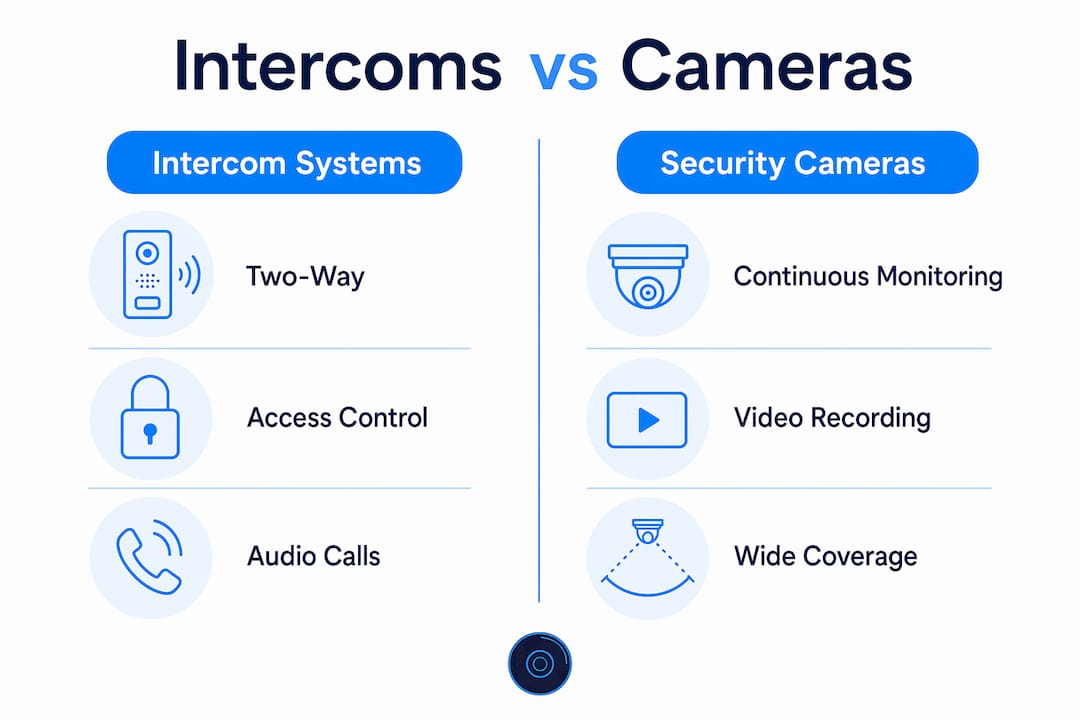
- Intercoms initiate two-way communication, verify visitor identity in real time, and control door locks remotely.
- Security cameras provide continuous or recorded visual coverage of campus zones without direct interaction capability.
- Intercoms are positioned at entry points to screen people before they enter the building.
- Cameras are distributed across interior and exterior areas to monitor movement, detect incidents, and support post-event investigations.
- Intercoms function as the first interactive barrier; cameras function as the observational layer behind it.
- Together, they form a layered security framework where each system compensates for the other’s limitations.
Neither system alone constitutes a complete security strategy. The PASS guidelines and current best practices for 2026 consistently endorse a layered approach, where intercoms act as the gatekeeper and cameras serve as the observer.
What do security cameras actually do in schools?
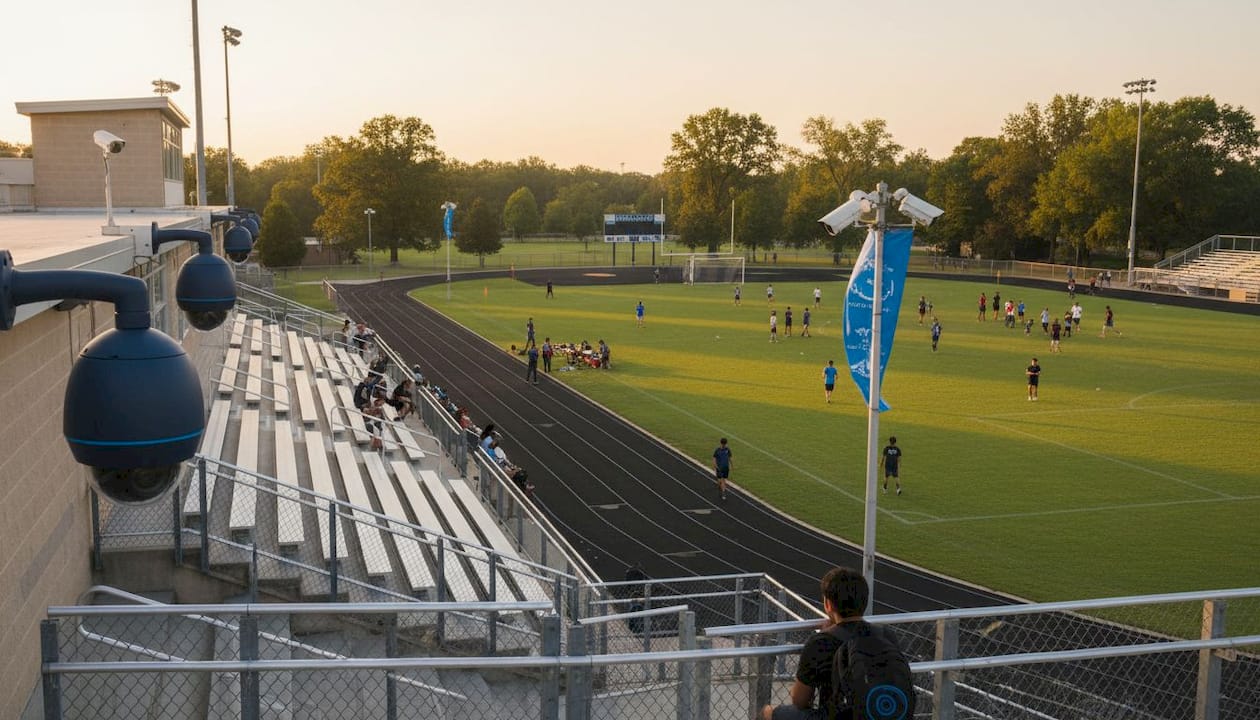
Security cameras in schools provide situational awareness across areas that staff cannot physically monitor at all times. Their primary value lies in two areas: real-time monitoring by security personnel and post-incident forensic review. Most schools use cameras to document what happened after an event, since continuous live monitoring of every feed simultaneously is rarely practical with existing staffing levels.
Camera types used in school environments
The two most common camera types in K-12 settings are dome and bullet cameras, each suited to different placement contexts.
- Dome cameras mount flush to ceilings and are well suited for hallways, cafeterias, and interior common areas where a low-profile, wide-angle view is needed.
- Bullet cameras project outward from walls or poles and work well for parking lots, building perimeters, and exterior entry points where longer-range coverage matters.
- Vestibule check-in cameras are positioned specifically at entry lobbies to capture clear facial images of visitors as they enter, often integrated with intercom or visitor management systems.
- AI-enabled cameras add a layer of behavioral analytics, capable of detecting loitering, crowd formation, or objects left unattended and generating real-time alerts to security staff.
Where cameras are typically placed on campus
Placement strategy determines how much of a campus a camera network actually covers. Dome and bullet cameras are typically installed across the following zones:
- Main and secondary building entrances
- Interior hallways and stairwells
- Cafeterias and gymnasiums
- Playgrounds and outdoor recreation areas
- Parking lots and bus loading zones
- Perimeter fencing and exterior walls
Modern camera systems can integrate directly with lockdown and door-lock control platforms, allowing a security operator to trigger a campus-wide lockdown from the same interface used to monitor live feeds. This integration is increasingly standard in 2026 school security deployments across New York City and nationally.
How do video intercom systems work in schools?
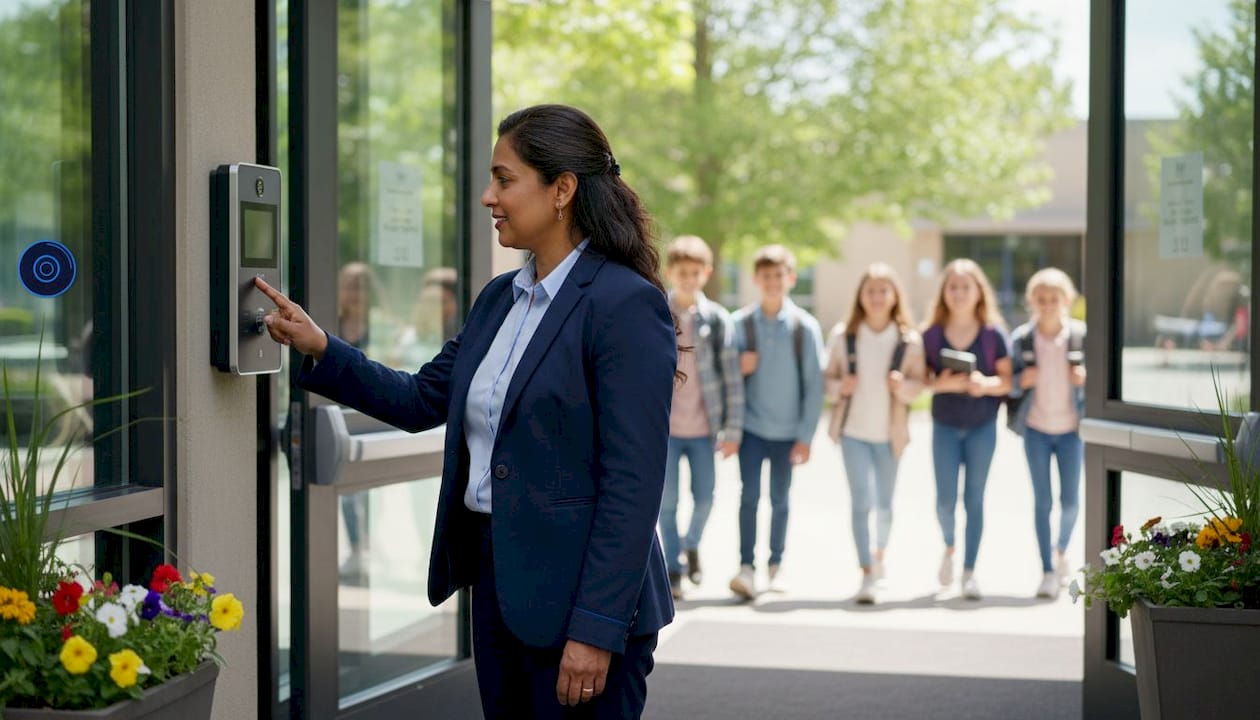
A video intercom system at a school entrance does something a camera cannot: it creates a two-way interaction. Staff can see and speak with visitors before deciding whether to unlock the door, and they can do so from a front-office workstation without walking to the entrance. That remote door control capability is what separates intercoms from passive surveillance.
Design evolution and dual-camera technology
Traditional intercoms showed a single camera view of whoever pressed the call button. Newer dual-camera intercom designs display a split-screen view simultaneously showing the visitor’s face and the surrounding area near the entrance. This eliminates the blind spot that a single-angle camera creates, allowing staff to see whether someone is standing off to the side or whether a group is waiting outside the frame. The improvement is operationally significant: a visitor who looks legitimate in a tight face shot may present differently when the surrounding context is visible.
Integration with access control and remote management
Modern video intercoms pair with cloud-based software platforms that let administrators manage multiple entry points across a campus or district from a single interface. Staff can grant or deny access, review recorded footage, and assign individualized access credentials to staff members, all without being physically present at each door. The intercom also integrates with electronic door strikes and magnetic locks, so a single button press from the front office controls the physical barrier at the entrance.
| Feature | Traditional intercom | Video intercom |
|---|---|---|
| Visitor audio communication | Yes | Yes |
| Live video of visitor | No | Yes |
| Dual-camera blind-spot coverage | No | Yes (advanced models) |
| Remote door lock/unlock | Limited | Yes |
| Cloud-based multi-site management | No | Yes |
| HD video recording | No | Yes |
| Lockdown system integration | No | Yes |
Additional benefits that video intercoms bring to school security include:
- Crime deterrence: The visible presence of intercom hardware and cameras at entry points discourages unauthorized attempts to enter.
- Discreet visitor denial: Staff can deny entry quietly and report a suspicious visitor to authorities without confrontation.
- After-hours monitoring: Intercoms record entry and exit activity during evening events, giving administrators a log to reference if an incident occurs.
- Emergency communication: During a lockdown, intercoms can relay critical messages to staff at entry points while cameras confirm conditions in real time.
Maintenance is not optional for intercom systems. Regular testing and immediate repair are required because a failed intercom at the main entrance removes the school’s first layer of perimeter security entirely. Built-in monitoring features or third-party monitoring services can alert staff when equipment stops functioning, and installation agreements with suppliers should include provisions for rapid replacement.
Why should schools integrate intercoms and cameras together?
Integration is where the two systems stop being separate tools and start functioning as a unified security platform. When an intercom call triggers a simultaneous camera feed on the security operator’s screen, the staff member sees both the visitor at the door and the surrounding area in real time, without switching between applications. That reduction in steps directly shortens response time during a high-pressure situation.
Layered security strategies use intercoms as gatekeepers and cameras as observers, and the combination enables something neither system achieves alone: thorough visitor verification at entry followed by continuous tracking of that visitor’s movement through the building after entry. If a visitor who was granted access behaves suspiciously inside the school, camera footage provides the documentation needed for an immediate response and a subsequent investigation.
Key benefits of integrated intercom and camera systems include:
- Reduced emergency response time through automated event triggers that display camera feeds when an intercom call is initiated.
- Visitor movement tracking post-entry, improving accountability and incident management.
- Unified lockdown control linking intercoms, cameras, door locks, and panic buttons for automated security responses.
- Centralized management of multiple entry points across a campus or district from a single software interface.
- Consistent audit trails combining intercom call logs with timestamped camera footage for investigations.
Pro Tip: Configure your integrated system so that any intercom call automatically pulls up the corresponding camera feed on the security monitor. This eliminates the manual step of switching views and keeps the operator focused on the visitor, not the interface.
The PASS Safety and Security Guidelines for 2026 endorse this integrated model explicitly, recommending that schools avoid treating intercoms and cameras as isolated tools. Security islands, where each system operates independently with no data sharing, create gaps in situational awareness that a determined intruder can exploit. Interoperability between systems is not a luxury feature; it is the design standard that makes layered security function as intended.
Regular system testing applies to integrated platforms just as it does to individual components. A unified system that has not been tested under simulated lockdown conditions may fail to trigger the correct automated responses when an actual emergency occurs. Quarterly drills that include intercom, camera, and door-lock integration checks are standard practice in well-managed school security programs.
What are the legal and privacy considerations for school cameras and intercoms?
Camera placement in schools is governed by a combination of federal privacy law, state regulations, and local district policy. The most consistent legal restriction across U.S. jurisdictions limits camera installation inside classrooms and private spaces such as restrooms and locker rooms, where students and staff have a reasonable expectation of privacy. Cameras are generally permitted in common areas: hallways, cafeterias, parking lots, and building entrances.
The Family Educational Rights and Privacy Act (FERPA) governs how schools handle student records, and footage that captures identifiable students may be treated as an educational record in some interpretations, affecting how long it can be retained and who can access it. Administrators should consult legal counsel and review FERPA requirements before establishing footage retention and access policies.
Key privacy safeguards administrators should implement include:
- Visible signage at all camera locations notifying students, staff, and visitors that surveillance is in use.
- Access controls on recorded footage, limiting viewing rights to authorized administrators and law enforcement with proper cause.
- Defined retention periods for stored footage, typically 30–90 days depending on district policy and state law, with automatic deletion thereafter.
- Intercom audio recording policies that comply with state wiretapping and consent laws, which vary significantly across states.
- Transparent community communication explaining where cameras are placed, why, and how footage is used, to maintain trust with students and families.
Intercom systems introduce their own privacy considerations, particularly when audio conversations at the entry point are recorded. Some states require all-party consent for recorded conversations, which may affect how intercom audio logs are stored and disclosed. Administrators should review applicable state recording laws before enabling audio logging features on intercom platforms.
What are the limitations of relying on only one system?
Relying exclusively on security cameras leaves a critical gap at the point of entry. Cameras can show you that an unauthorized person is approaching the building, but they cannot stop that person from entering, communicate with them, or control the door. A camera network without an intercom at the entrance is an observational system with no interactive capability at the moment it matters most.
Intercoms alone present the opposite problem. They are highly effective at the entry point but provide no visibility into what happens inside the building after a visitor is admitted. A school with intercoms but no interior cameras has no way to monitor hallways, track visitor movement, or document incidents that occur away from the entrance. During a lockdown, staff need both the communication capability of the intercom and the visual coverage of cameras to assess conditions across the campus.
Additional limitations worth noting:
- Cameras reviewed only after an incident, rather than monitored live, cannot prevent an event from escalating in real time.
- Intercoms depend on staff availability at the monitoring station; an unmanned front office renders the system ineffective regardless of its technical capability.
- Neither system functions as a substitute for trained security personnel and clearly defined response protocols.
- Cloud-managed systems require reliable internet connectivity; edge-processing fail-safes are necessary to maintain operation during outages.
PA and intercom systems are the only technologies capable of reaching every building occupant simultaneously during an emergency, regardless of device ownership or connectivity. That reach makes them foundational, but they still require cameras to provide the visual context that audio alone cannot deliver.
Which scenarios call for intercoms, cameras, or both?
The right configuration depends on the specific security challenge a school is trying to address. Some scenarios are well served by one system; most require both.
Intercom-only scenarios make sense in limited, low-risk contexts: a small administrative building with a single controlled entrance where staff can visually monitor the door and only need a communication channel to verify visitors. This is the exception, not the standard, for K-12 campuses.
Camera-only scenarios are appropriate for monitoring areas where access control is not the primary concern: parking lots, athletic fields, and building perimeters where the goal is documentation and deterrence rather than entry screening. A camera covering a parking lot does not need an intercom because no access decision is being made at that location.
Combined systems are the correct choice for any scenario involving a controlled entry point, a multi-building campus, or a school with a history of security incidents. Specifically:
- A main school entrance requires both an intercom for visitor screening and cameras for vestibule monitoring and post-entry tracking.
- A campus with multiple buildings needs intercoms at each building entrance and cameras covering the pathways between buildings.
- A school implementing a visitor management program needs intercom video integrated with the visitor log to create a complete record of who entered, when, and what they looked like.
- Any school conducting lockdown drills should have both systems integrated with door-lock controls and panic buttons for a coordinated automated response.
For schools in New York City, where campus density and foot traffic create complex access control challenges, the school security systems approach that YDA Security Systems NYC recommends consistently combines video intercoms at all controlled entry points with a camera network covering interior and exterior zones.
How do maintenance costs and requirements compare?
Security cameras and intercom systems have different maintenance profiles, and understanding those differences helps administrators budget accurately and avoid unexpected downtime.
Security camera maintenance typically involves lens cleaning, firmware updates, cable and connector inspections, and periodic replacement of cameras that fail or become obsolete. IP-based camera systems require network infrastructure maintenance, including switch health checks and bandwidth monitoring. Camera hardware generally has a lifespan of 5–10 years depending on the environment, with outdoor cameras exposed to weather degrading faster than interior units.
Intercom system maintenance is more operationally critical because a failed intercom at the main entrance removes the school’s primary access control layer immediately. As the PASS guidelines emphasize, intercom failure requires an immediate response from the supplier. Maintenance tasks include button and speaker testing, software updates for cloud-managed platforms, inspection of door strike and lock hardware, and verification that remote management software is communicating correctly with all entry points.
Cost considerations for administrators:
- Camera systems generally have lower per-unit hardware costs than video intercom stations, but large campuses require many cameras to achieve full coverage, which raises total installation costs.
- Intercom systems have higher per-unit costs at entry points but require fewer devices overall since they are positioned only at controlled access locations.
- Cloud-managed intercom and camera platforms carry ongoing subscription costs for software, remote monitoring, and storage that should be factored into multi-year budget planning.
- Integrated systems that share a single management platform can reduce total software licensing costs compared to running separate platforms for each system.
- Installation agreements with service-level commitments for rapid equipment replacement are worth the added cost for intercom systems, given the access control consequences of downtime.
For schools in Manhattan, Brooklyn, Queens, and Staten Island, YDA Security Systems NYC provides professional camera installation and intercom system deployment with a one-year warranty on all installations, covering both hardware and low-voltage wiring.
YDA Security Systems NYC brings both systems together for NYC schools
School security administrators in New York City face a specific challenge: dense campuses, high visitor volume, and the need for systems that perform reliably every day, not just during drills. YDA Security Systems NYC installs and integrates video intercom systems, IP security cameras, access control hardware, and low-voltage wiring for K-12 schools across Manhattan, Brooklyn, Queens, and Staten Island. Every installation is handled by licensed and insured technicians who understand the real-world demands of school environments, from vestibule intercom placement to multi-building camera network design.
What sets YDA apart from a generic security vendor is the combination of technical depth and local accountability. With over 5,000 jobs completed and a one-year warranty on all installations, the team delivers systems that are built to perform under daily operational pressure and tested before handoff. Whether your school needs a single entry-point intercom upgrade or a full integrated platform combining cameras, intercoms, and commercial door hardware with lockdown integration, YDA Security Systems NYC designs the solution around your campus layout and security priorities. Contact YDA Security Systems NYC to schedule a site assessment and get a clear, detailed proposal for your school’s security upgrade.
FAQ
Do intercoms have cameras in schools?
Most modern school intercom systems include built-in cameras, and advanced models use dual-camera configurations to show both the visitor’s face and the surrounding area near the entrance simultaneously.
Do schools actually check security cameras?
Most schools review camera footage after an incident rather than monitoring every feed continuously in real time, since live monitoring of all cameras simultaneously requires dedicated staffing that most districts do not maintain.
Why don’t schools have security cameras in classrooms?
Legal restrictions and privacy expectations limit camera placement in classrooms across most U.S. jurisdictions. Cameras are generally permitted only in common areas such as hallways, cafeterias, and building entrances.
What type of security cameras do schools use?
Schools most commonly use dome cameras for interior hallways and common areas, bullet cameras for parking lots and building exteriors, and vestibule check-in cameras at entry lobbies, with AI-enabled analytics increasingly added to existing camera networks.
Can an intercom system replace a security camera in a school?
No. Intercoms and cameras perform different functions: intercoms control and communicate at entry points, while cameras monitor and document activity across the broader campus. Effective school security requires both working together.
Key Takeaways
Intercoms and security cameras are not interchangeable; each fills a specific role in a layered school security strategy, and the strongest campuses deploy both in an integrated platform.
| Point | Details |
|---|---|
| Intercoms are Tier 1 access control | PASS guidelines classify video intercoms as the foundational requirement for school entrance security. |
| Cameras are primarily post-incident tools | Most schools review camera footage after an event rather than monitoring all feeds live continuously. |
| Dual-camera intercoms eliminate blind spots | Split-screen views show both the visitor’s face and the surrounding area, improving entry screening accuracy. |
| Integration reduces response time | Unified platforms that trigger camera feeds on intercom calls shorten the steps between alert and response. |
| YDA Security Systems NYC installs both | YDA designs and installs integrated intercom and camera systems for K-12 schools across Manhattan, Brooklyn, Queens, and Staten Island, with a one-year warranty on all work. |

