Use Cat6 for new IP camera installs; reserve Cat6A for high-power or very long runs. Cat6 gives most PoE cameras enough voltage headroom, easy 4K bandwidth, and only a small price premium over Cat5e. The main exceptions are runs pushing close to the 100 meter (328 foot) limit, PoE++ devices like heated PTZ cameras, or multi-sensor 4K units drawing heavy current, where Cat6A’s thicker conductors add real margin.
TL;DR:
- Cat6 offers reliable PoE power delivery up to 100 meters on standard PoE or PoE+ loads, with a comfortable margin for most installations.
- For high-power devices like heated PTZ cameras or multi-sensor 4K units, keeping runs under 90 meters and using Cat6A ensures stable power and bandwidth.
- Shielded cables are typically unnecessary unless installing near heavy electrical interference, where proper grounding is critical to prevent noise issues.
- Material costs for upgrading from Cat5e to Cat6 are minimal, but installing Cat6A increases labor complexity and material costs significantly on large projects.
- Proper termination practices, including solid copper conductors and rigorous testing, are essential to prevent link failures and power issues in IP camera setups.
Table of Contents
- Can Cat6 Carry PoE Reliably? How Distance and Power Interact
- Cat5e vs Cat6 vs Cat6A: Choose by Camera Type and Scenario
- Shielding, Outdoor Cable, and Environmental Choices
- Installation and Termination Best Practices (Installer Checklist)
- Why Is My Camera Dropping Connection or Losing Power?
- What Does Cat6 Actually Cost to Install?
- Get Cat6 Installed and Certified by YDA Security Systems NYC
- Sources
- FAQ
Can Cat6 Carry PoE Reliably? How Distance and Power Interact
Every PoE camera install lives or dies on two things: how much power the device needs and how far that power has to travel. The IEEE 802.3 standards define three practical tiers installers deal with daily.
- 802.3af (PoE): up to 15.4 watts at the source, roughly 12.95 watts delivered
- 802.3at (PoE+): up to 30 watts at the source, common for PTZ and IR-heavy cameras
- 802.3bt (PoE++, Type 3/4): up to 60 or 90 watts, used for heated enclosures and multi-sensor units
Wire gauge determines how much of that power actually survives the trip. Cat6 uses 23 AWG conductors versus Cat5e’s typical 24 AWG, and that single gauge step cuts voltage drop by roughly 20 to 40 percent depending on the load. On a marginal 90 meter PoE+ run, that difference can be the gap between a camera that boots cleanly and one that reboots every time its IR array kicks on.
| Cable / gauge | PoE class | Practical safe distance |
|---|---|---|
| Cat5e (24 AWG) | 802.3af | Up to 100 m, tight margin |
| Cat6 (23 AWG) | 802.3af/at | Up to 100 m, comfortable margin |
| Cat6 (23 AWG) | 802.3bt | Best kept under 90 m |
| Cat6A (23 AWG, thicker) | 802.3bt, long runs | Full 100 m with margin |
The 100 meter TIA/IEEE limit applies across every category, but conservative design keeps high-power links under about 90 meters and builds in a 10 to 15 percent power margin. Cat5e still works fine for a basic 1080p camera on a 40 meter run. Push toward PoE+ loads or longer distances, and Cat6 stops being optional.
Cat5e vs Cat6 vs Cat6A: Choose by Camera Type and Scenario
Matching cable category to the job in front of you beats defaulting to whatever’s in the truck. Here’s how the decision actually breaks down on real jobs across Manhattan brownstones and Queens retail strips alike.
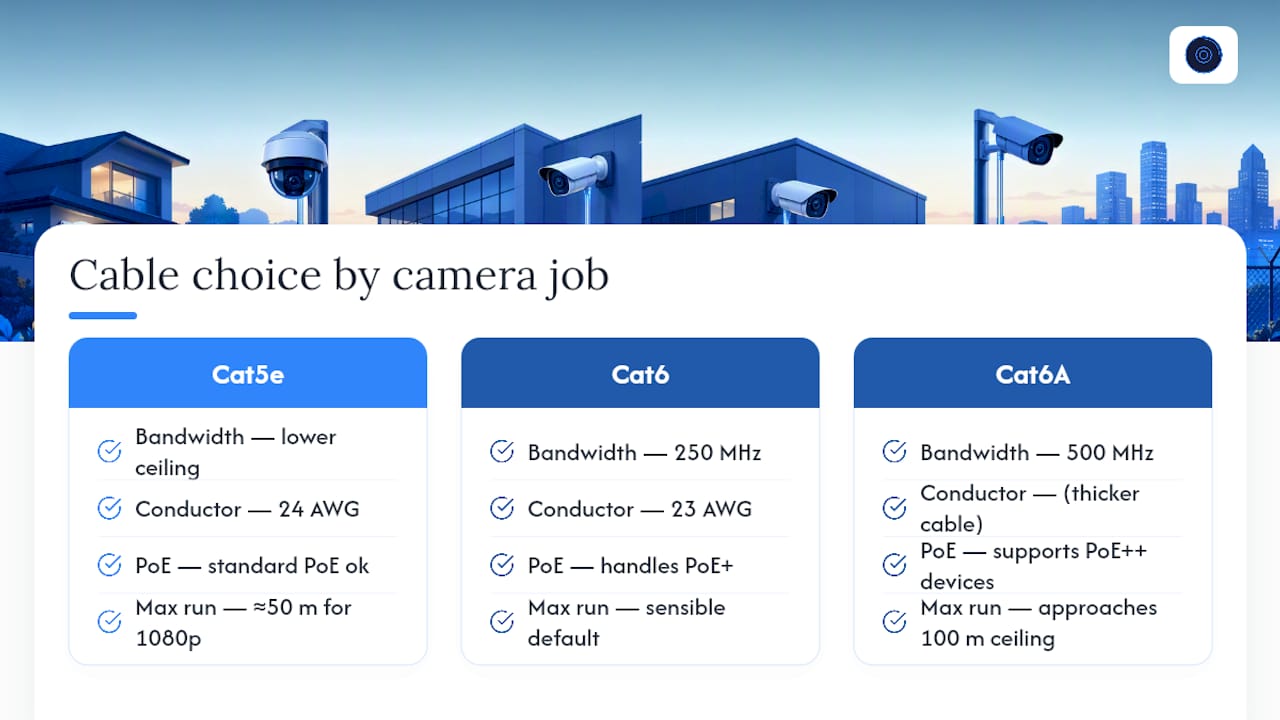
Cat5e covers basic 1080p cameras on runs under roughly 50 meters where budget is the driving factor. It carries standard PoE fine, but its 24 AWG conductors and lower bandwidth ceiling leave little room for error on longer paths or higher-draw devices.
Cat6 is the sensible default for nearly every new install. Its 23 AWG conductors and 250 MHz bandwidth rating handle PoE+ loads and 4K streams with room to spare, and the price difference over Cat5e is small enough that standardizing on it removes a whole category of future headaches.
Cat6A earns its place when a run approaches the 100 meter ceiling, a device needs PoE++ power (heated PTZ housings, multi-sensor 4K arrays), or you’re feeding several high-bitrate 4K streams down one link. It doubles bandwidth to 500 MHz, but that comes with trade-offs: thicker, stiffer cable that’s genuinely harder to route through tight junction boxes, conduit bends, and weatherproof grommets common in older NYC buildings.
On material cost, the delta per camera run is usually modest. A typical Cat6 pull costs a few dollars more per hundred feet than Cat5e, while Cat6A commonly runs another 30 to 50 percent above Cat6. For a homeowner running four cameras, that’s rarely the deciding factor. For a commercial retrofit with forty runs and tight conduit, it adds up fast, which is why matching the category to the actual load matters more than blanket upgrades. Anyone weighing IP versus analog camera systems should know this cabling math only applies to IP setups, since analog cameras run on coax and carry power differently.
Shielding, Outdoor Cable, and Environmental Choices
Unshielded twisted pair (UTP) handles the overwhelming majority of camera installs without issue. Shielded twisted pair (STP) only earns its keep in specific environments: near large motors, elevator machine rooms, industrial HVAC equipment, or heavy RF sources like rooftop antenna farms. Installer consensus favors UTP Cat6 as the default, reserving shielding for known high-EMI locations rather than using it everywhere as a precaution.
Outdoor runs need their own material logic:
- Gel-filled, direct-burial-rated cable for underground runs without conduit
- UV-resistant PVC or polyethylene jackets for exposed exterior mounts
- Rigid or flexible conduit whenever the cable crosses a walkway, parking area, or anywhere physical damage is likely
Jacket rating matters indoors too. Plenum-rated cable is required in HVAC air-handling spaces under most fire codes, while riser-rated cable suffices in vertical shafts between floors. Skipping this distinction is a common code violation on commercial jobs across NYC’s older building stock.
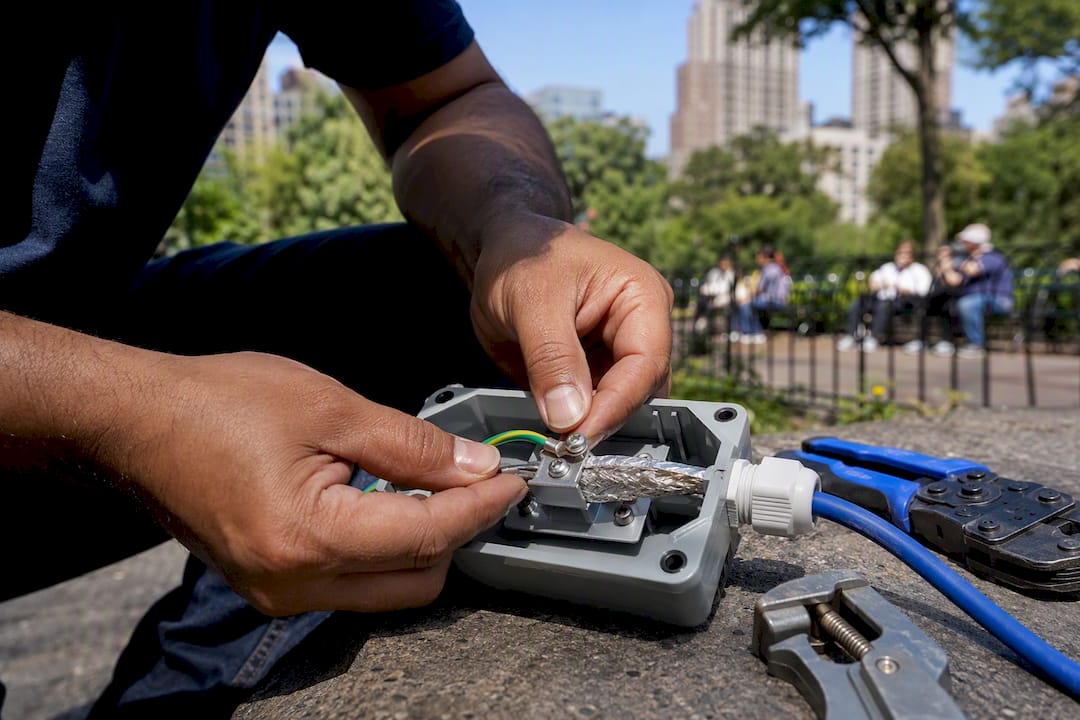
Pro Tip: If you do run shielded cable, ground it properly at one end only. An ungrounded shield can act like an antenna and actually introduce more interference than it blocks, which defeats the entire purpose of using STP in the first place.
Installation and Termination Best Practices (Installer Checklist)
Good cable choice means nothing if the termination is sloppy. These are the non-negotiables on every job:
- Use 100% solid copper conductors, never CCA. Copper-clad aluminum has meaningfully higher resistance than solid copper and creates heat buildup, unstable PoE delivery, and premature termination failure.
- Terminate to T568B and keep conductor twists intact as close to the jack as possible. Excess untwisted length invites crosstalk.
- Match connectors to cable category. Cat6A jacks and boots are required for Cat6A cable; mixing a lower-rated jack onto higher-category cable erases the upgrade’s benefit.
- Respect bend radius (roughly four times the cable diameter) and keep runs at least a foot from AC power lines to avoid induced noise.
- Test every run with a wiremap tester and a PoE load tester before closing up walls or ceilings, then log the results.
Pro Tip: When retrofitting an older building, run a fresh Cat6 home run from the IDF straight to each camera instead of daisy-chaining through multiple patch points. Every extra connection compounds voltage drop and adds a failure point you’ll be chasing later.
Why Is My Camera Dropping Connection or Losing Power?
Power problems and data problems look different once you know what to check. A camera that reboots randomly, browns out under load, or won’t power up at all points to voltage shortfall, not a bad video signal. A camera that shows pixelation, tearing, or intermittent packet loss while staying powered points to a data-integrity issue instead.
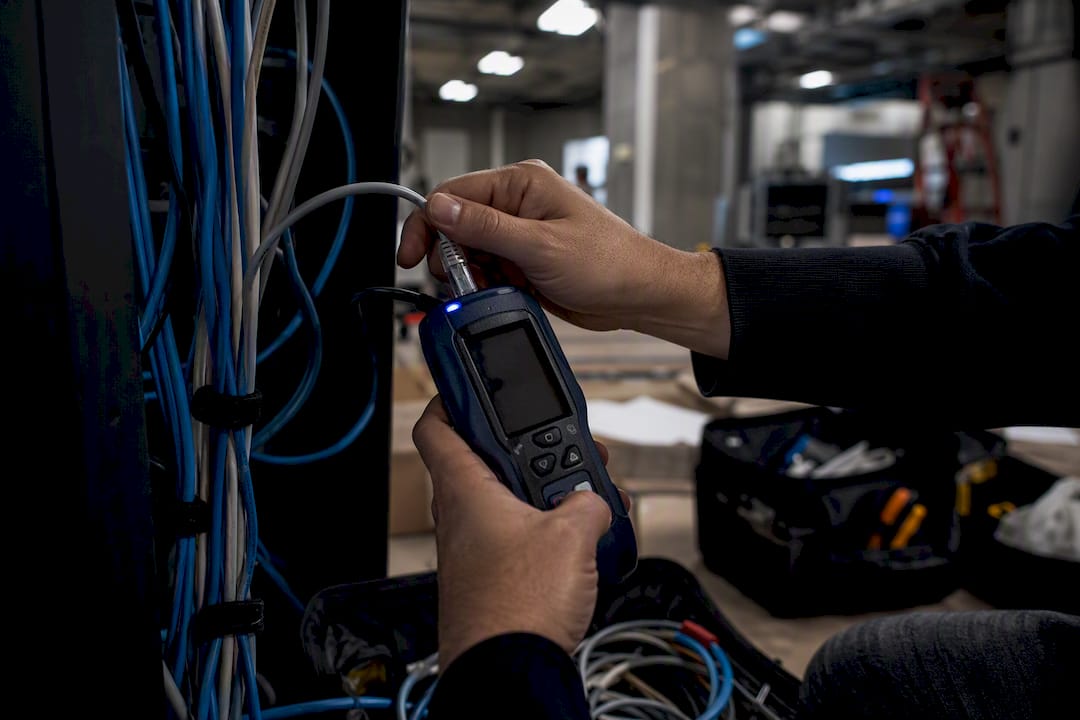
Isolate the cause with three quick checks: swap the patch cord at both ends first, since a damaged short cable is the single most common culprit. Then measure voltage directly at the camera under full load (IR array and any heater running) rather than trusting the switch port’s reported output. Finally, run a continuity and pair-map test to catch a bad termination or a split pair.
Common fixes follow directly from the diagnosis: re-terminate a faulty end, shorten an oversized run, add a midspan PoE injector to boost delivered power, or re-pull the segment in Cat6 if the original run was undersized 24 AWG Cat5e feeding a PoE+ device.
What Does Cat6 Actually Cost to Install?
Material costs are modest compared to labor, which is usually the bigger line item on any quote. Cat5e, Cat6, and Cat6A cables have progressively higher per-foot prices, with optional plenum-rated jackets adding additional cost.
- Per camera, upgrading from Cat5e to Cat6 on a typical 75 foot run adds only a few dollars in material
- Labor time is essentially identical between Cat5e and Cat6, since termination steps don’t change
- Cat6A adds real labor time due to its stiffness and larger connectors
For most budgets, standardizing on Cat6 across the whole property is the easy call. It removes future headaches without meaningfully raising the project cost.
Get Cat6 Installed and Certified by YDA Security Systems NYC
Choosing the right cable is only half the job. YDA Security Systems NYC’s licensed technicians run a full site survey before pulling a single foot of cable, matching cable category to each camera’s PoE class and run length rather than guessing. Every termination gets a T568B wiremap test and a PoE load test under real camera draw, not just a continuity check, and the work carries a one-year warranty.
NYC buildings bring their own constraints: tight junction boxes in prewar walk-ups, shared conduit runs in commercial corridors, and building management access windows that don’t leave room for redo visits. YDA’s technicians plan around those realities across Manhattan, Brooklyn, Queens, and Staten Island, whether the job is a four-camera brownstone or a forty-camera retail buildout.
For a residential job, our Cat6 for security cameras installation service covers everything from cable selection through final certification. Larger commercial or hospitality properties can also review our security systems for hotels options, and properties with heavier bandwidth demands from multi-tenant or healthcare-adjacent buildouts may want to compare notes with dedicated bandwidth guidance for mission-critical environments before finalizing a cable spec. Contact YDA Security Systems NYC to schedule a site survey and get a cabling plan built around your actual camera load, not a generic template.
Sources
- Cat 5e vs Cat 6 for Surveillance — IPVM
- PoE Cabling for IP Cameras & Wi-Fi 6 APs | SMB Network Design Guide – AMPCOM
- CCTV Cabling Guide: Cat5e vs Cat6 vs Cat6a, Fibre, Coax (2026)
FAQ
Is Cat6 good for security cameras?
Yes. Cat6’s 23 AWG conductors give PoE cameras better voltage margin than Cat5e and support 4K bandwidth comfortably, making it the practical default for new installs.
Which is better for security cameras, Cat5e or Cat6?
Cat6 is better for most installs because it lowers voltage drop and improves interference rejection; Cat5e remains acceptable only for basic 1080p cameras on short runs under about 50 meters.
How far can you run Cat6 cable for security cameras?
The structured cabling limit is 100 meters (328 feet), but high-power PoE devices should stay under roughly 90 meters to keep a safe voltage margin.
Is Cat6 overkill for home use?
No. For most homeowners installing PoE cameras, Cat6 costs only slightly more than Cat5e per run and removes power-margin problems before they start, which makes it worth the small premium rather than overkill.
When should I upgrade to Cat6A instead of Cat6?
Choose Cat6A when a run approaches the 100 meter limit, when a camera draws PoE++ power like a heated PTZ unit, or when multiple high-bitrate 4K streams share one link.