Security cameras in checkout areas are defined as dedicated video surveillance systems positioned at point-of-sale registers and self-checkout zones to deter theft, monitor transactions, and produce actionable evidence. The role of security cameras in checkout areas extends well beyond passive recording. When configured to 2026 industry standards and integrated with AI-driven analytics, these systems form the operational backbone of retail loss prevention. Retailers in Manhattan, Brooklyn, Queens, and Staten Island face real shrinkage pressure at every register. Understanding how to deploy checkout area security correctly, from camera height to resolution to staff response protocols, determines whether your investment pays off or collects dust on a ceiling mount.
What are the best practices for positioning security cameras at checkout?
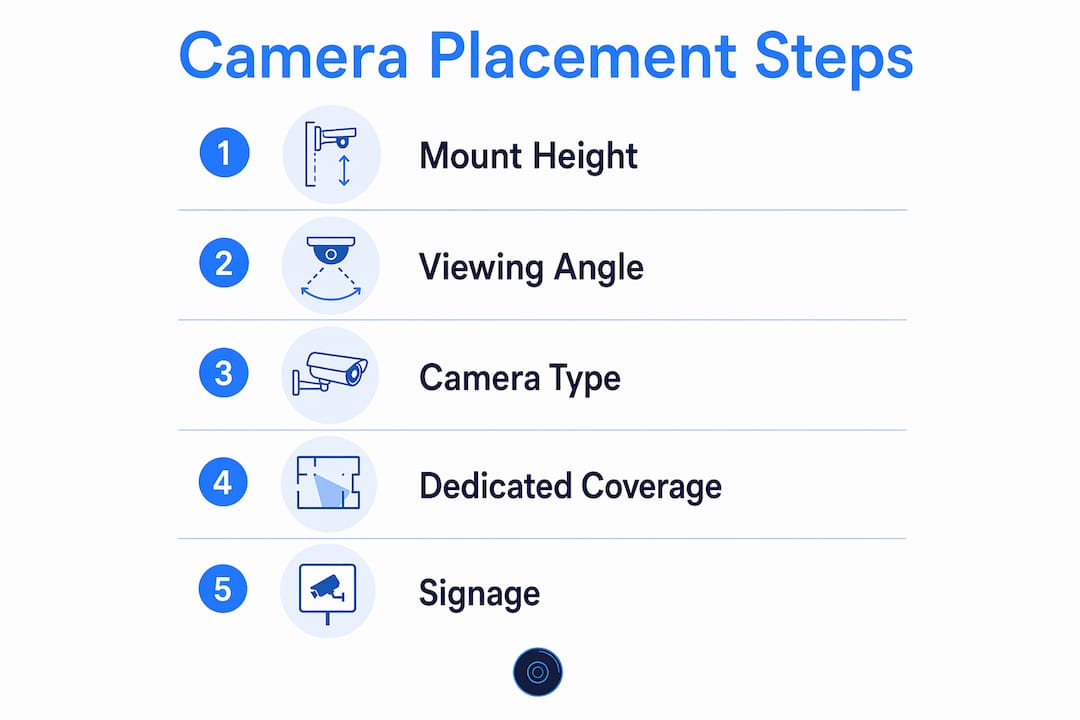
Camera placement is the single most controllable factor in checkout security effectiveness. Industry best practices recommend mounting POS cameras 8–10 feet high, angled 30 degrees off the customer-register axis, with a minimum resolution of 4MP. That specification exists because it captures the register screen, the cashier’s hands, and the customer’s face in a single frame without distortion.
Wide-area cameras are a common and costly mistake. Retailers frequently treat wide-area overview cameras as sufficient evidence cameras. They are not. A wide-area shot cannot reliably show whether a barcode was scanned or a product was concealed. Dedicated evidence-angle cameras per register are non-negotiable for transaction disputes and investigations.
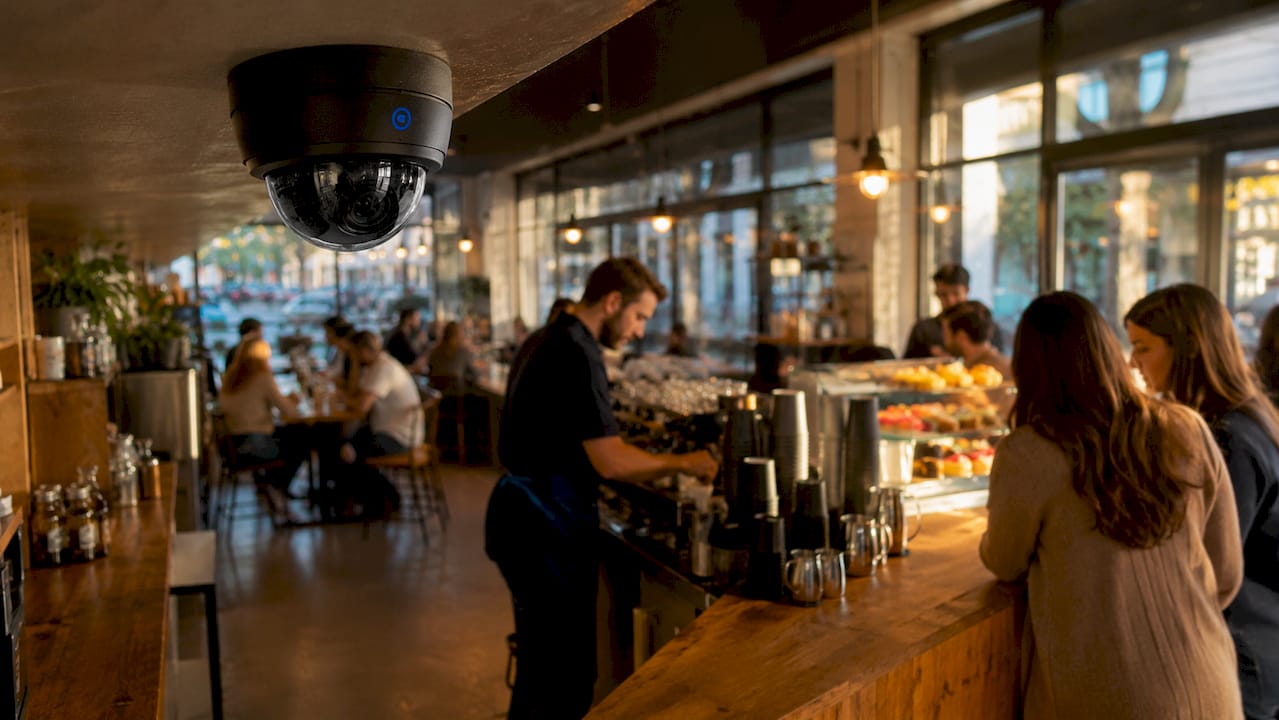
Self-checkout zones require a hybrid approach. Each self-checkout station needs its own dedicated camera, plus at least one overview camera covering the full zone. Customer face capture requires a secondary camera positioned at 7–10 feet, angled downward toward the customer’s face. Overhead cameras routinely miss clear facial images, which weakens identification in theft cases.
Pro Tip: Install dome cameras at checkout positions rather than bullet cameras. Dome cameras conceal their viewing direction, which increases the perceived risk of surveillance and strengthens deterrence without adding hardware costs.
The checkout layout itself affects camera performance. Registers arranged in a straight line allow one overview camera to cover multiple positions efficiently. Angled or curved layouts require additional cameras to eliminate blind spots. When you design or reconfigure your checkout floor plan, camera sightlines should be part of the conversation from the start, not an afterthought.
How do security cameras at checkout areas improve loss prevention?
Visible surveillance changes behavior before any theft occurs. A clearly mounted dome camera at a register signals to both customers and employees that the transaction is being recorded. That signal alone reduces opportunistic theft and discourages cashier misconduct such as sweethearting, where a cashier fails to scan items for a friend or associate.
Cameras also capture the full range of checkout fraud that costs retailers the most. The primary categories include:
- Sweethearting: Cashier intentionally skips scanning items for known customers.
- Ticket switching: Customer replaces a barcode with a lower-priced item’s label before checkout.
- Pass-through theft: Customer places unscanned items beneath a cart or in a bag before reaching the register.
- Self-checkout manipulation: Customer scans one item but bags a different, higher-value product.
Each of these incidents leaves a video record when cameras are positioned correctly. That footage becomes the primary evidence in internal investigations, insurance claims, and law enforcement referrals. Without dedicated evidence cameras, the footage often lacks the detail needed to act on a suspected incident.
The financial case for proper camera investment is clear. AI-powered non-scan identification in self-checkout areas has reduced losses by up to 9% in test stores and produced a 4.5 times return on investment, representing $136 million in total savings across 2,000 stores. That figure reflects what happens when cameras are paired with the right detection technology, not just mounted and forgotten.
63% of retailers now prioritize checkout fraud prevention as a top investment area. That majority reflects a shift in how the industry views checkout surveillance: not as a cost center, but as a measurable revenue protection tool.
What legal and privacy considerations affect cameras in checkout zones?
Retailers must meet specific legal requirements before activating checkout surveillance. The core obligation is transparency. Visible signage informing customers about video surveillance must be posted in checkout areas, positioned at customer eye level, and must include contact information for surveillance inquiries. Posting a sign in a back hallway does not satisfy this requirement.
The key compliance principles for checkout surveillance include:
- Post signage at customer eye level at every monitored checkout position.
- Provide a contact name or department for customers to direct surveillance inquiries.
- Avoid recording payment card entry screens or PIN pad interactions.
- Limit footage retention to the period required by your insurance or legal counsel.
- Restrict footage access to authorized personnel only, with a documented access log.
Payment data is a specific legal exposure point. Cameras positioned to capture PIN pad screens or card numbers create liability under PCI DSS standards, which govern how payment card data is handled. Camera angles must be reviewed against register layouts to confirm no payment entry surface falls within the frame.
“Retailers who deploy new surveillance tools without reviewing their legal obligations face significant exposure. Visible signage, data retention limits, and employee notification requirements are not optional compliance steps. They are the baseline for lawful operation of any checkout monitoring system.”
State and local regulations vary. New York retailers should confirm their surveillance practices align with New York State labor law notification requirements for employee monitoring, in addition to general consumer privacy standards. Consulting legal counsel before expanding a checkout camera system is the responsible first step.
How is AI transforming the role of checkout area security cameras?
Retail loss prevention has shifted from passive recording to proactive, real-time detection. Computer vision integrated with POS systems detects scan anomalies the moment they occur, enabling staff to intervene before a customer leaves the store. That is a fundamental change from reviewing footage after a loss has already happened.
The practical AI capabilities now available to retailers include:
- Scan anomaly detection: The system flags when an item passes the scanner without a corresponding transaction event.
- Behavioral analysis: Cameras identify body language patterns associated with concealment or distraction techniques.
- Queue management: AI monitors checkout line length and wait times, generating staffing alerts to reduce congestion and theft opportunity.
- Transaction verification: Camera feeds are matched against POS data in real time to confirm each item scanned matches what was bagged.
- Automated alerts: Security staff receive instant notifications on a mobile device or monitor when a flagged event occurs.
Pro Tip: Before deploying AI-powered checkout monitoring, map out your staff response workflow first. Without defined alert workflows, AI systems generate excessive false alarms that erode staff confidence and reduce the effectiveness of legitimate alerts.
AI also delivers operational value beyond loss prevention. Queue data informs staffing schedules. Transaction verification data identifies training gaps for cashiers. These benefits make the shift to AI-driven monitoring a business operations investment, not just a security expense. The challenge is that AI requires trained personnel to act on its outputs. Technology without process produces noise, not results.
What practical strategies maximize security camera effectiveness at checkout?
Effective checkout surveillance depends on system design, staff training, and operational discipline working together. The camera hardware is only one component. How your team uses the system determines the actual outcome.
The most effective retailers treat checkout camera programs as ongoing operations, not one-time installations. Key practices include:
- Assign dedicated cameras per register. One camera per POS position is the minimum standard. Shared coverage creates gaps that experienced offenders exploit.
- Define response protocols before going live. Every alert type needs a documented staff response. Who is notified? What action is taken? How is the incident logged?
- Schedule regular footage reviews. Periodic review of recorded footage catches patterns that real-time monitoring misses, such as a cashier who consistently underscans during specific shifts. Learn how often stores check cameras to set a review schedule that matches your risk level.
- Maintain cameras on a documented schedule. Lens cleaning, angle verification, and firmware updates prevent the slow degradation that leaves you with unusable footage when you need it most.
- Align checkout layout with camera coverage. Physical register placement should support camera sightlines. Consult your security provider before any store renovation that affects the checkout zone.
The comparison below shows how camera program maturity affects outcomes:
| Feature category | Basic setup | Optimized setup |
|---|---|---|
| Camera per register | Shared wide-area camera | Dedicated 4MP evidence camera |
| Self-checkout coverage | Single overview camera | Individual plus overview cameras |
| AI integration | None | Real-time scan anomaly detection |
| Staff response protocol | Informal | Documented and trained |
| Footage review frequency | Reactive only | Scheduled and proactive |
Retailers who consult with experienced security providers before installation avoid the most common and expensive configuration errors. YDA Security Systems NYC designs commercial camera systems for retail environments across Manhattan, Brooklyn, Queens, and Staten Island, with licensed technicians who understand both the technical specifications and the operational requirements of high-traffic checkout zones. Reviewing your security camera needs with a qualified provider before purchasing hardware saves significant rework costs.
Key Takeaways
Security cameras at checkout areas reduce shrinkage, protect transaction integrity, and produce actionable evidence only when deployed to current placement, resolution, and AI integration standards.
| Point | Details |
|---|---|
| Placement is the foundation | Mount cameras 8–10 feet high at a 30-degree angle with 4MP minimum resolution per register. |
| Dedicated cameras per position | Wide-area cameras cannot substitute for evidence-angle cameras at individual POS stations. |
| AI multiplies camera value | Non-scan detection and real-time POS integration reduce losses up to 9% with a 4.5x ROI. |
| Legal compliance is mandatory | Post visible signage at eye level, avoid capturing payment screens, and limit footage access. |
| Staff protocols determine outcomes | AI alerts without defined response workflows produce false alarms and reduce security effectiveness. |
YDA Security Systems NYC and your retail checkout security
Retailers across New York City operate in one of the highest-shrinkage retail environments in the country. YDA Security Systems NYC brings over 5,000 completed installations and a 1-year warranty on every system to commercial clients who need checkout surveillance that meets 2026 industry standards. Our licensed technicians design camera layouts specific to your register configuration, self-checkout zone, and store footprint. We handle placement, resolution calibration, AI integration, and ongoing maintenance so your system produces evidence-quality footage from day one. To review the full range of commercial security services available for your retail location, contact YDA Security Systems NYC for a site assessment.
FAQ
What is the recommended camera resolution for checkout areas?
The minimum recommended resolution for POS cameras is 4MP. This resolution captures the register screen, cashier’s hands, and customer face simultaneously in a single frame.
How many cameras does a self-checkout zone require?
Self-checkout zones require at least one dedicated camera per station plus one overview camera covering the full zone. Overhead cameras alone do not capture clear facial images for identification.
Do retailers need to post signs about checkout surveillance?
Retailers must post visible signage at customer eye level in all monitored checkout areas. Signage must include contact information for surveillance inquiries to meet legal compliance requirements.
How does AI improve checkout area security cameras?
AI integrated with POS systems detects scan anomalies in real time and sends automated alerts to staff. This shifts surveillance from passive recording to active loss prevention with measurable ROI.
How often should retailers review checkout camera footage?
Retailers should review footage on a scheduled basis, not only after a known incident. Periodic review identifies recurring patterns such as consistent underscanning during specific shifts that real-time monitoring alone will not catch.